> ## Documentation Index
> Fetch the complete documentation index at: https://help.mercury360.com/llms.txt
> Use this file to discover all available pages before exploring further.
# Reset Password
> Request a password reset link, set a new password, and recover access to your Mercury Accounts profile when you can't log in.
Locked out? Resetting your password takes under two minutes. This guide covers when to reset, how to do it, and how to fix the common issues that trip people up.
## When to reset your password
Use password reset if:
* You **forgot** your password.
* You're **unable to log in** despite being sure of your email.
* Your password is **not being accepted** even though it looks correct.
If you're still logged in on another device and just want to change your password as a security best practice, do it from your account settings instead — no reset email needed.
## Reset your password
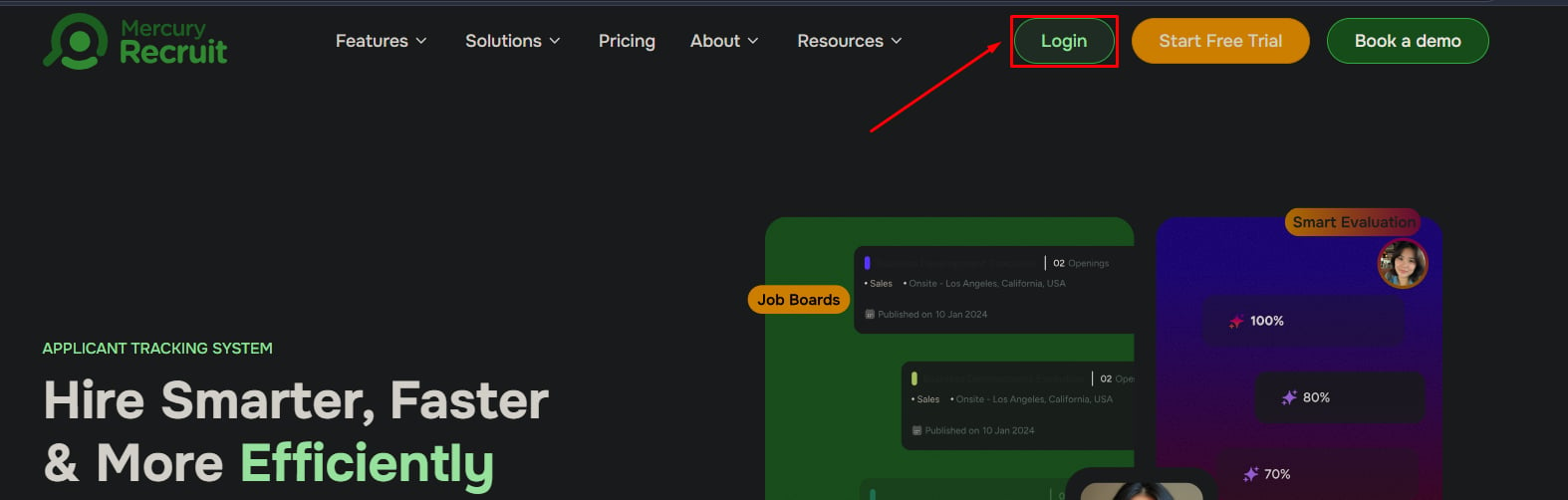
1. Go to the [login page](https://mercury360.com/recruit).
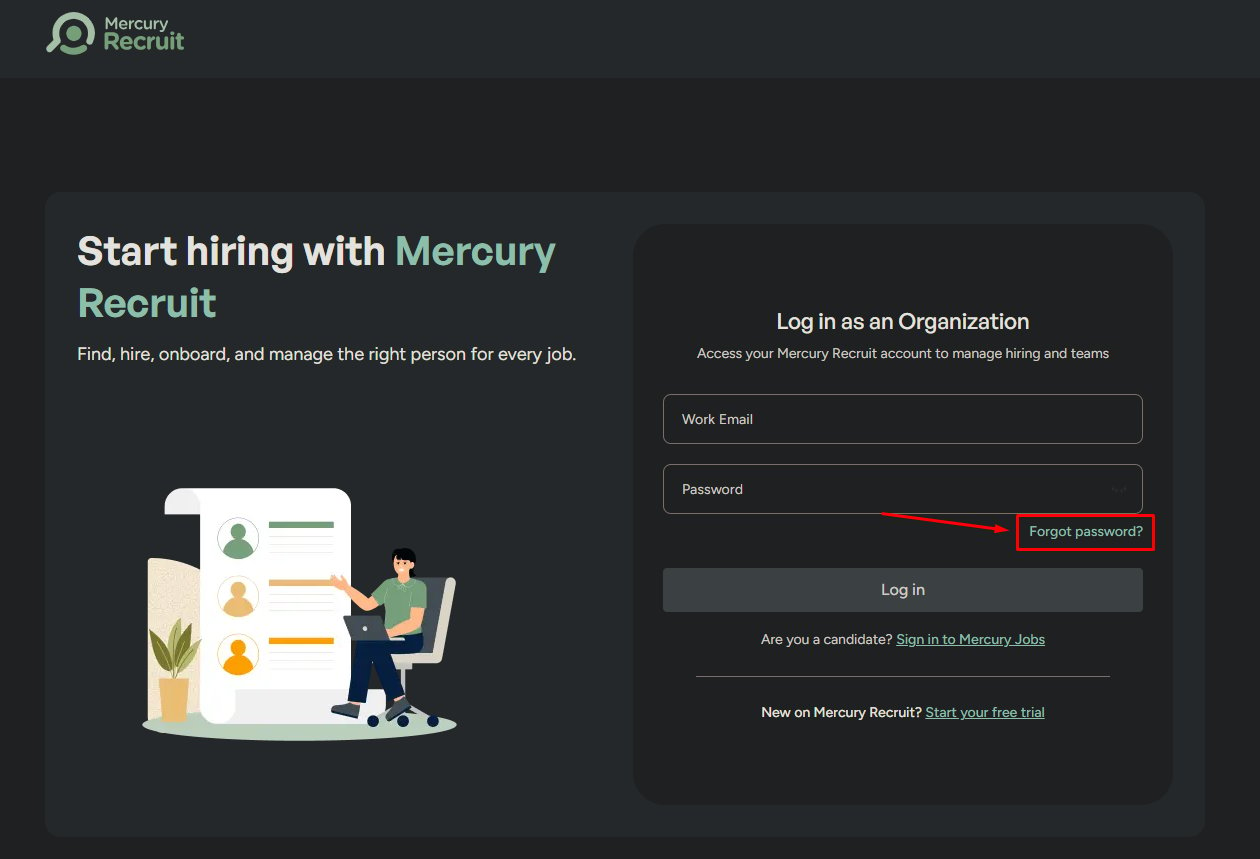
2. Click **Forgot Password**.
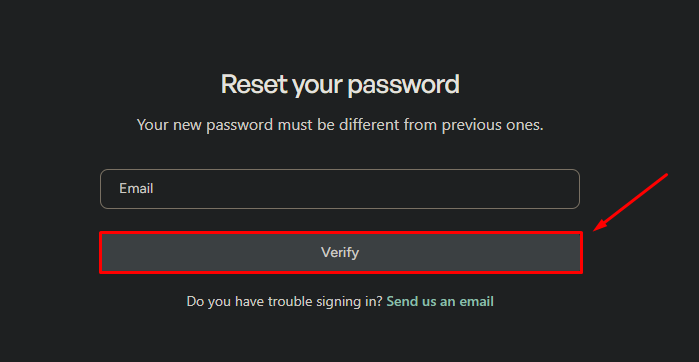
3. Enter your **registered email** address.
4. Click **Verify**.
A reset link will be sent to your email within a minute or two.
Find the message from **Mercury** in your inbox and click **Reset Password**. The link opens a secure page where you can choose a new password.
1. Enter a **new password** that meets Mercury's strength criteria.
2. **Confirm** the password by entering it again.
3. Click **Submit**.
Your password updates immediately — you can log in right away.
 ## Didn't receive the reset email?
This is where most users get stuck. Almost every time, the cause is one of these:
Filters often catch transactional emails. Search for messages from `mercury` or `noreply@mercury360.com`.
The reset link only goes to your **registered email**. A typo or using a different email than the one on file is the single most common cause.
Email delivery can lag during peak times. Give it three to five minutes before requesting another link.
If it still doesn't arrive, return to the login page and request another reset. If that fails, the problem is almost always a wrong email — [contact support](/support/contact) so we can help locate your account.
## After resetting
## Common mistakes to avoid
Watch out for these — they account for most failed resets:
* **Reusing your old password.** Mercury blocks recently used passwords.
* **Mismatched confirmation.** The two password fields must match exactly.
* **Typing errors.** Use the show-password toggle to verify what you typed.
## Still can't get in?
If repeated resets aren't working, our support team can verify your identity and recover your account manually.
## Didn't receive the reset email?
This is where most users get stuck. Almost every time, the cause is one of these:
Filters often catch transactional emails. Search for messages from `mercury` or `noreply@mercury360.com`.
The reset link only goes to your **registered email**. A typo or using a different email than the one on file is the single most common cause.
Email delivery can lag during peak times. Give it three to five minutes before requesting another link.
If it still doesn't arrive, return to the login page and request another reset. If that fails, the problem is almost always a wrong email — [contact support](/support/contact) so we can help locate your account.
## After resetting
## Common mistakes to avoid
Watch out for these — they account for most failed resets:
* **Reusing your old password.** Mercury blocks recently used passwords.
* **Mismatched confirmation.** The two password fields must match exactly.
* **Typing errors.** Use the show-password toggle to verify what you typed.
## Still can't get in?
If repeated resets aren't working, our support team can verify your identity and recover your account manually.