> ## Documentation Index
> Fetch the complete documentation index at: https://help.mercury360.com/llms.txt
> Use this file to discover all available pages before exploring further.
# Integrations
> Connect Google or Microsoft to enable email and calendar sync for hiring workflows.
Use **Integrations** to connect third-party providers so the system can sync data required for hiring workflows (such as email and calendar features). You can also disconnect integrations when needed.
## When to use this
Use this page when you need to:
* Connect external services like email or calendar tools
* Enable syncing with third-party platforms
* Disconnect an existing integration
## Available integrations
Currently supported providers:
* **Google**
* **Microsoft**
Each integration works independently. You can connect or disconnect one provider without affecting the other (depending on which features you use).
## How integrations work
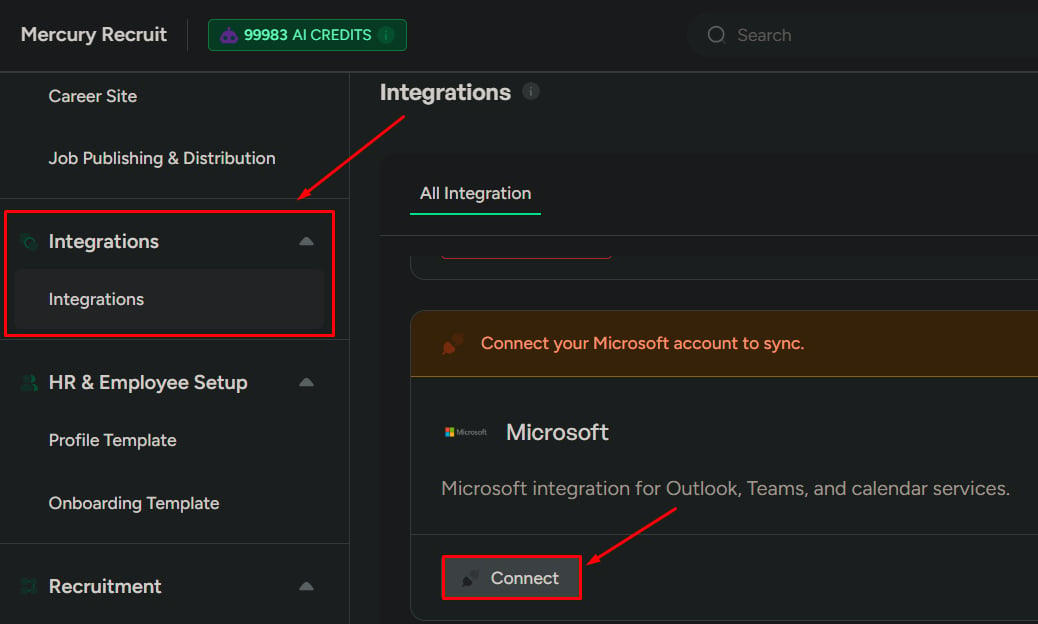
Each provider displays its current status:
### If not connected
* You’ll see a **Connect** button
* Click **Connect** to begin the integration flow
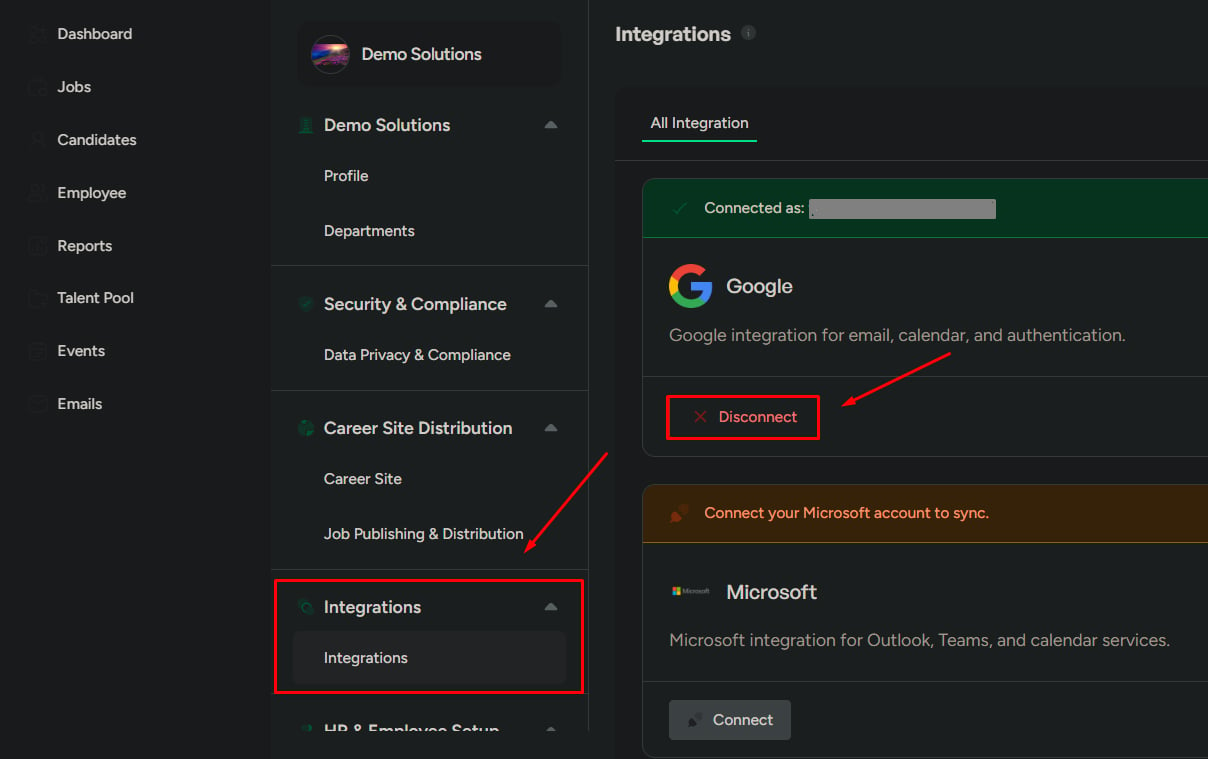
 ### If already connected
* You’ll see a **Disconnect** button
* Click **Disconnect** to remove the connection
### If already connected
* You’ll see a **Disconnect** button
* Click **Disconnect** to remove the connection
 ## What happens when you connect
After connecting a provider:
* Sync starts with the selected provider
* Data exchange is enabled based on the permissions you grant
* Related features (such as **Email** and/or **Calendar**) become active
## What happens when you disconnect
After disconnecting a provider:
* Sync stops immediately
* Connected features stop working
* Existing synced data remains visible, but is no longer updated
Disconnecting an integration may affect workflows like emailing candidates or scheduling interviews.
## What to be careful about
* Connecting the wrong account can sync incorrect data into the system
* Disconnecting may break workflows that depend on email or calendar syncing
* Always verify you’re connecting the correct organization account before proceeding
Integration changes can impact hiring communication and scheduling across the team.
## What happens when you connect
After connecting a provider:
* Sync starts with the selected provider
* Data exchange is enabled based on the permissions you grant
* Related features (such as **Email** and/or **Calendar**) become active
## What happens when you disconnect
After disconnecting a provider:
* Sync stops immediately
* Connected features stop working
* Existing synced data remains visible, but is no longer updated
Disconnecting an integration may affect workflows like emailing candidates or scheduling interviews.
## What to be careful about
* Connecting the wrong account can sync incorrect data into the system
* Disconnecting may break workflows that depend on email or calendar syncing
* Always verify you’re connecting the correct organization account before proceeding
Integration changes can impact hiring communication and scheduling across the team.