> ## Documentation Index
> Fetch the complete documentation index at: https://help.mercury360.com/llms.txt
> Use this file to discover all available pages before exploring further.
# Invoices & Billing History | View, Search, and Download Records
View, search, and download invoices and payment records.
## When to use this
Use this when you need to:
* Find a past invoice
* Download billing records for accounting
* Review payment activity
* Check transaction history
## What you can access
This page includes billing records such as:
* Invoices
* Receipts
* Payment events
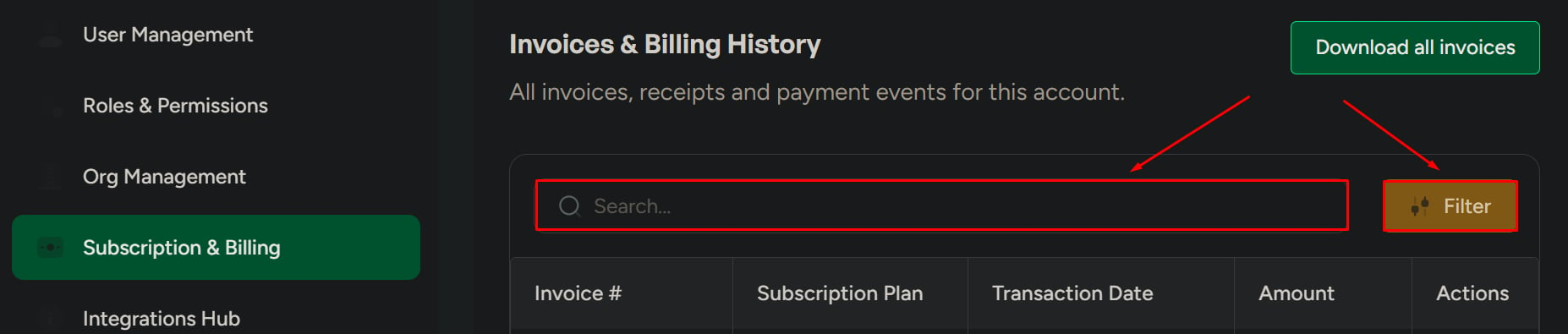
## Invoice row details
Each invoice entry typically includes:
* Invoice number
* Subscription plan
* Transaction date
* Amount
* Actions (view/download)
## Search and filter invoices
Use search and filters to quickly find billing records—especially when:
* The invoice list is large
* You need a specific transaction
 ## Download all invoices
Click **Download All Invoices**. The system generates a downloadable file containing all available invoices.
## Download all invoices
Click **Download All Invoices**. The system generates a downloadable file containing all available invoices.
 ## View or download individual invoices
You can use the actions on each invoice to:
* View the invoice
* Download the invoice as a PDF
This is useful for audits, reimbursements, and internal finance documentation.
## Related pages
Update plan details, billing settings, and subscription configuration.
View and download invoices and review payment history.
## View or download individual invoices
You can use the actions on each invoice to:
* View the invoice
* Download the invoice as a PDF
This is useful for audits, reimbursements, and internal finance documentation.
## Related pages
Update plan details, billing settings, and subscription configuration.
View and download invoices and review payment history.