> ## Documentation Index
> Fetch the complete documentation index at: https://help.mercury360.com/llms.txt
> Use this file to discover all available pages before exploring further.
# Manage Subscription Details | Track Usage and Billing Actions
Review plan details, usage, and billing actions for a specific module subscription.
Subscription changes can impact module access and workflows. Review details carefully before canceling or changing plans.
## When to use this
Use this when you need to:
* Review an active plan for a module
* Monitor usage limits (seats, job postings, add-ons)
* Check subscription history events
* Cancel a subscription
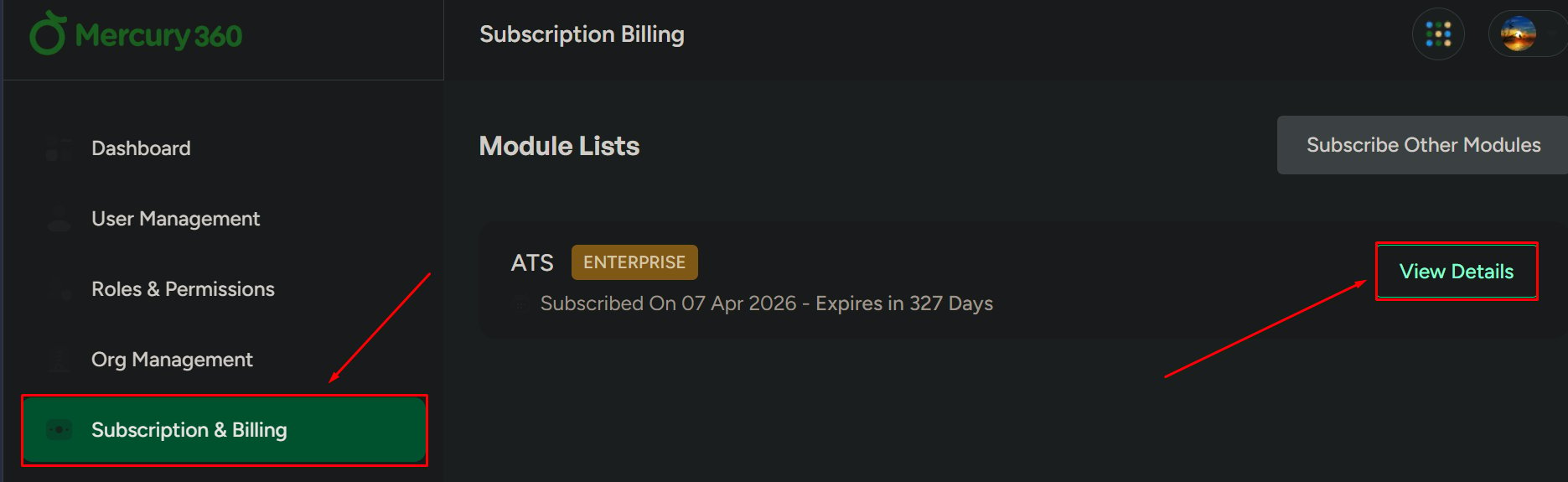
## Open subscription details
Go to **Subscription & Billing**.
Choose the module you want to review (for example, ATS).
Click **View Details** to open the module’s subscription page.
 ## What you can review
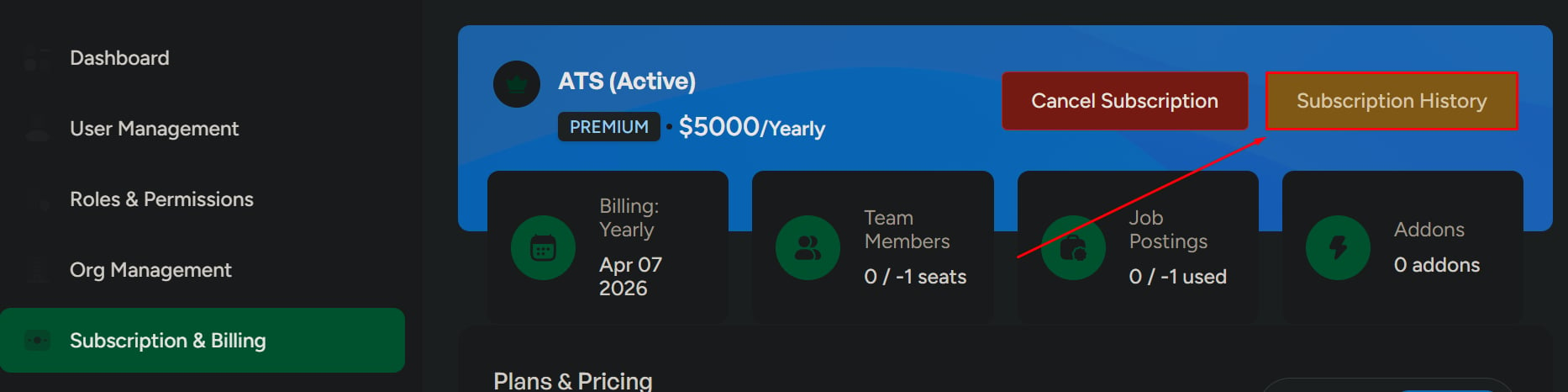
Plan name, billing cycle, activation date, and add-ons.
Seats used, job posting usage, and remaining limits.
Billing and subscription events like payment received and subscription created.
Compare plans and monthly vs annual pricing.
## Subscription history
Click **Subscription History** to view billing and subscription events.
## What you can review
Plan name, billing cycle, activation date, and add-ons.
Seats used, job posting usage, and remaining limits.
Billing and subscription events like payment received and subscription created.
Compare plans and monthly vs annual pricing.
## Subscription history
Click **Subscription History** to view billing and subscription events.
 ## Cancel subscription
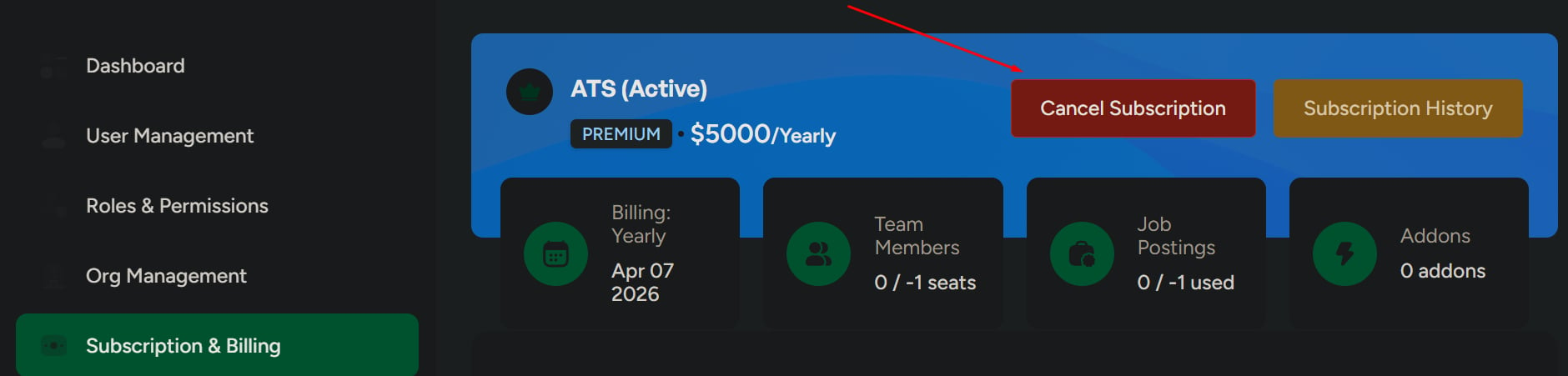
Click **Cancel Subscription**, then confirm the action.
Cancelling may affect module access and workflows.
## Cancel subscription
Click **Cancel Subscription**, then confirm the action.
Cancelling may affect module access and workflows.
 ## Monthly vs annual pricing
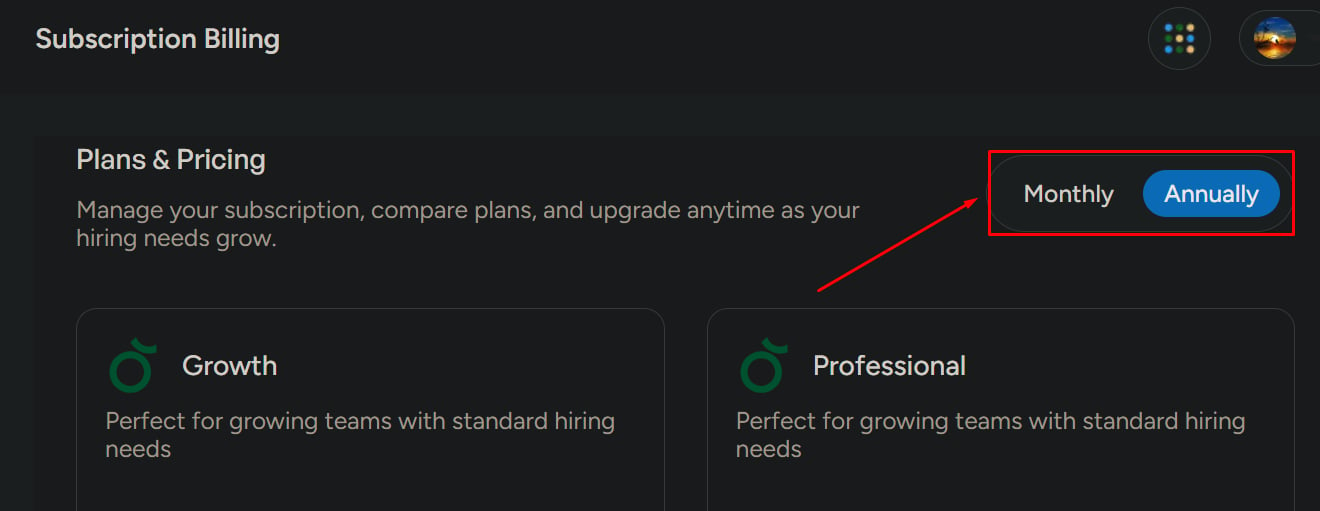
Use the pricing toggle to compare:
* Monthly pricing
* Annual pricing
## Monthly vs annual pricing
Use the pricing toggle to compare:
* Monthly pricing
* Annual pricing
 ## Related pages
Review plan details, usage, and billing actions for a specific module subscription.
View and download invoices and review payment history.
## Related pages
Review plan details, usage, and billing actions for a specific module subscription.
View and download invoices and review payment history.