> ## Documentation Index
> Fetch the complete documentation index at: https://help.mercury360.com/llms.txt
> Use this file to discover all available pages before exploring further.
# Update Profile and Password
> Update your profile details (image, phone, time zone) and change your account password.
Use this page to keep your account information accurate and secure. Your profile details are used for identification and scheduling, and your password protects access to your account.
## When to use this
Use this when you need to:
* Update your profile image
* Change your phone number
* Update your time zone
* Change your account password
## Open your profile
In the top bar, click your name.
Select **Profile**.
 ## Update profile details
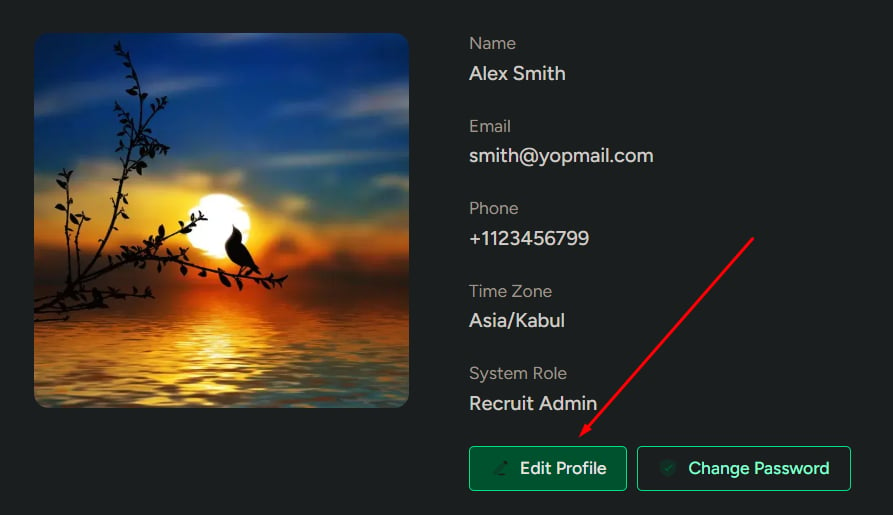
Click **Edit Profile**.
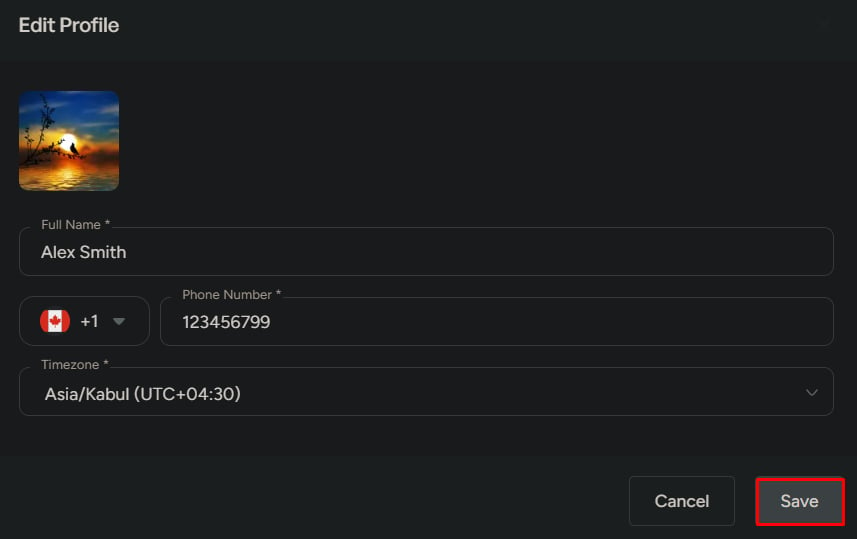
Update any of the following:
* Profile image
* Phone number
* Time zone
Click **Save**.
Keeping your time zone accurate helps prevent scheduling issues and mismatched event times.
## Update profile details
Click **Edit Profile**.
Update any of the following:
* Profile image
* Phone number
* Time zone
Click **Save**.
Keeping your time zone accurate helps prevent scheduling issues and mismatched event times.
 ## Change your password
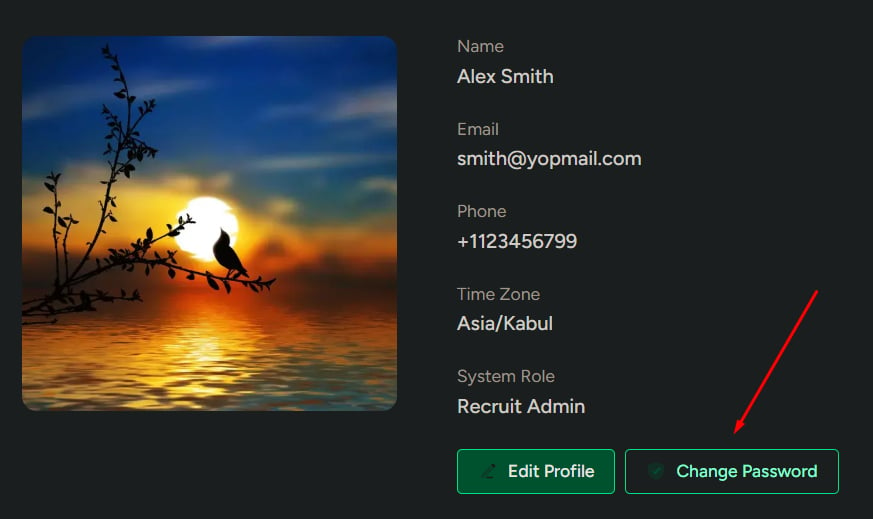
Click **Change Password**.
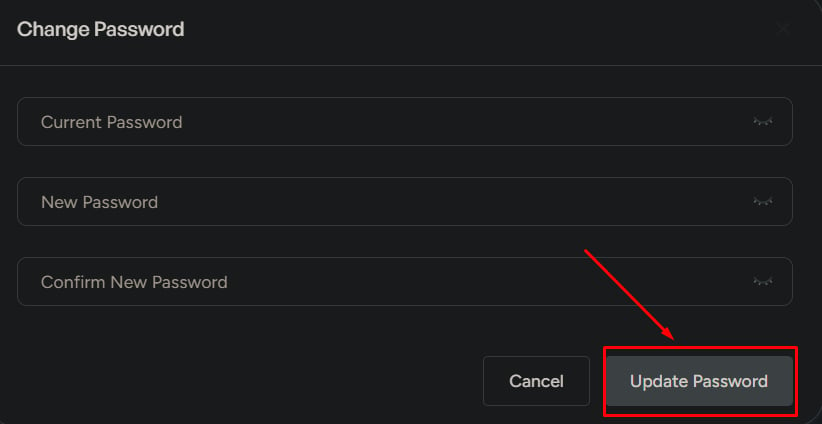
Enter:
* Current password
* New password
* Confirm new password
Click **Update Password**.
## Change your password
Click **Change Password**.
Enter:
* Current password
* New password
* Confirm new password
Click **Update Password**.
 ## What to be careful about
* If your **current password** is incorrect, the update will fail
* Weak passwords reduce account security
* An incorrect time zone can affect scheduling and notifications
Use a strong password and keep your time zone correct to avoid access and scheduling problems.
## What to be careful about
* If your **current password** is incorrect, the update will fail
* Weak passwords reduce account security
* An incorrect time zone can affect scheduling and notifications
Use a strong password and keep your time zone correct to avoid access and scheduling problems.