
.png?fit=max&auto=format&n=wMd7bxoi6I_Hm3IN&q=85&s=fe686234f9638b0fbfbc991ca32f7bc3)
When to reset your password
Use password reset if:- You forgot your password.
- You’re unable to log in despite being sure of your email.
- Your password is not being accepted even though it looks correct.
Reset your password
1
Request a reset link
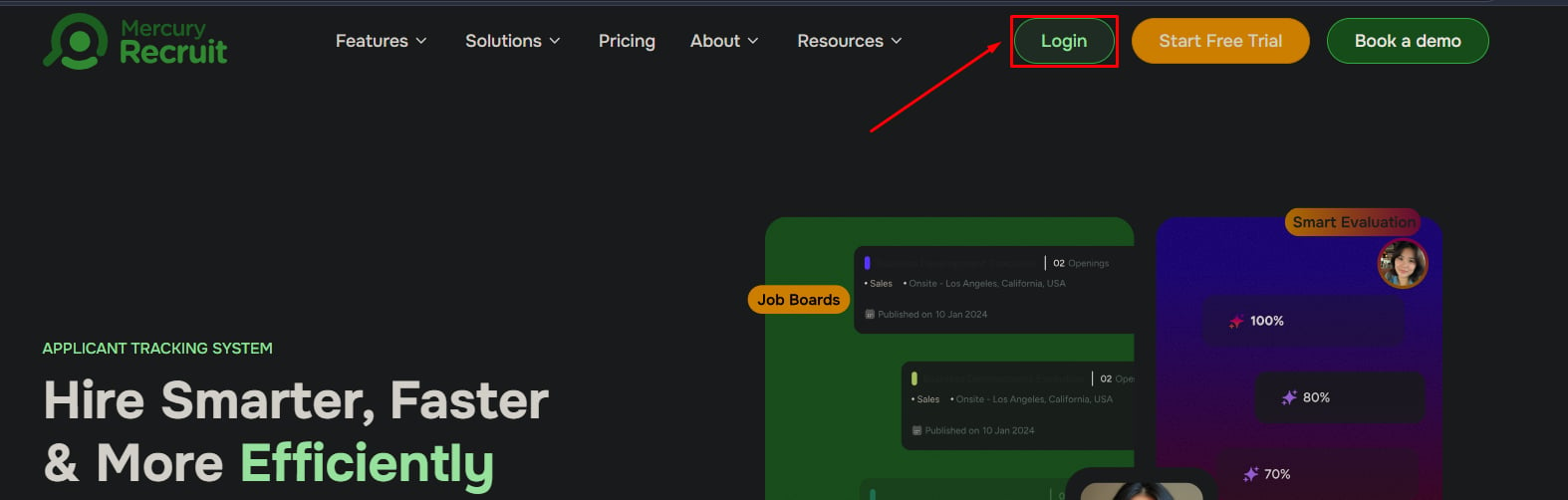
- Go to the login page.
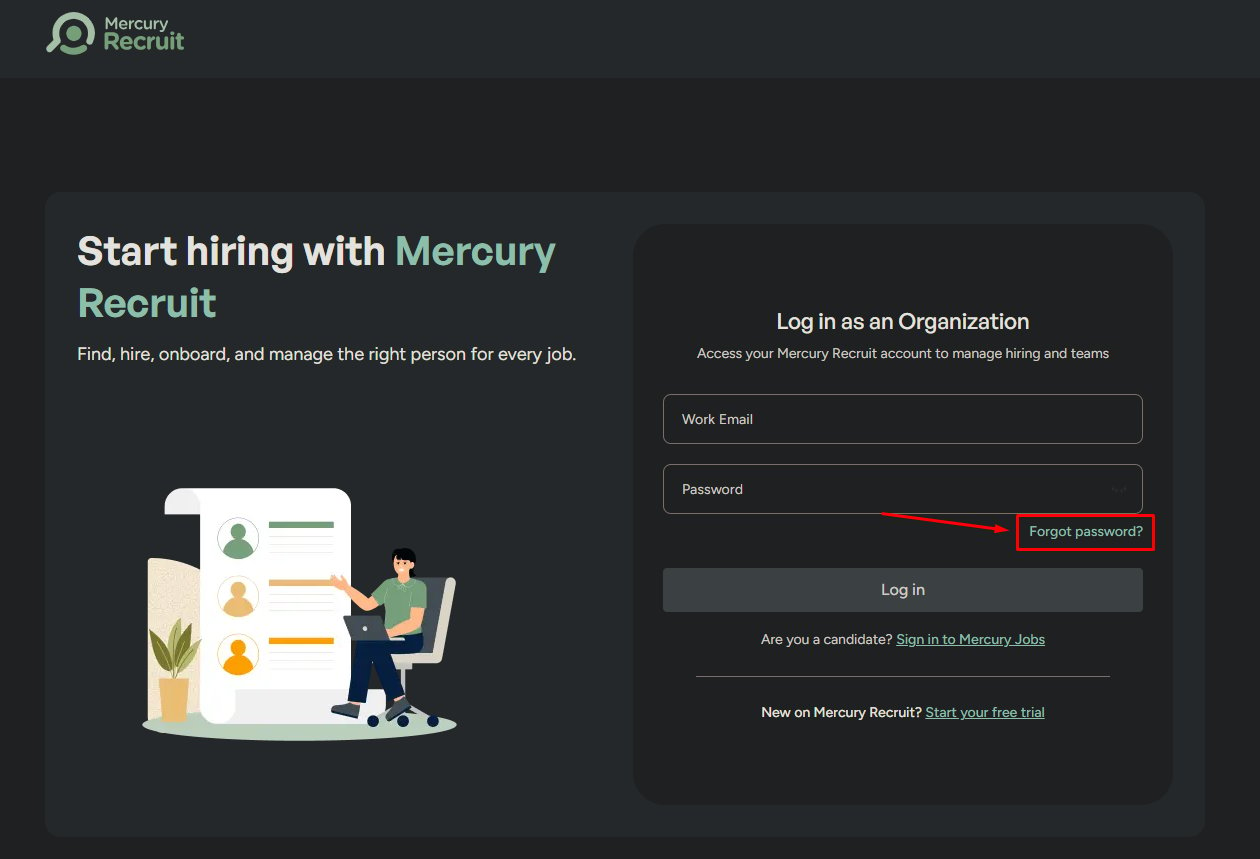
- Click Forgot Password.
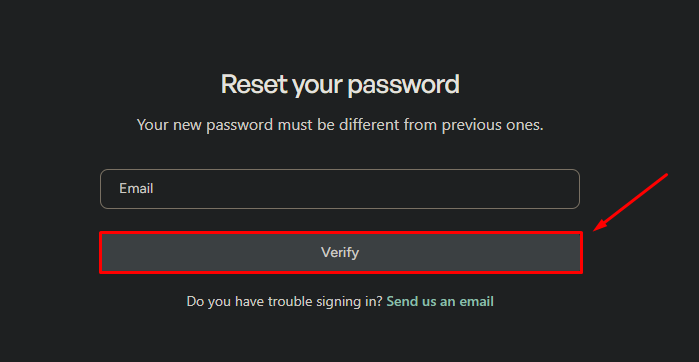
- Enter your registered email address.
- Click Verify.
2
Open the reset email
Find the message from Mercury in your inbox and click Reset Password. The link opens a secure page where you can choose a new password.
3
Set a new password
- Enter a new password that meets Mercury’s strength criteria.
- Confirm the password by entering it again.
- Click Submit.
Didn’t receive the reset email?
This is where most users get stuck. Almost every time, the cause is one of these:Check your spam or junk folder
Check your spam or junk folder
Filters often catch transactional emails. Search for messages from
mercury or noreply@mercury360.com.Confirm the email address is correct
Confirm the email address is correct
The reset link only goes to your registered email. A typo or using a different email than the one on file is the single most common cause.
Wait a few minutes
Wait a few minutes
Email delivery can lag during peak times. Give it three to five minutes before requesting another link.
Request the link again
Request the link again
If it still doesn’t arrive, return to the login page and request another reset. If that fails, the problem is almost always a wrong email — contact support so we can help locate your account.
After resetting
Common mistakes to avoid
Still can’t get in?
Contact Mercury Support
If repeated resets aren’t working, our support team can verify your identity and recover your account manually.