
.png?fit=max&auto=format&n=wMd7bxoi6I_Hm3IN&q=85&s=fe686234f9638b0fbfbc991ca32f7bc3)
Integrations can affect multiple users and automated workflows. Always review the permissions request before connecting and be cautious when disconnecting active integrations.
This section helps you
- Connect third-party tools like Google and email services
- Manage organization-wide integrations
- Control recruitment-specific integrations
- Disconnect integrations when no longer needed
When to use this
Use this when you need to:- Connect email or communication tools
- Enable integrations for hiring workflows
- Manage organization-level connected apps
- Remove or disconnect unused integrations
Open the Integrations Hub
1
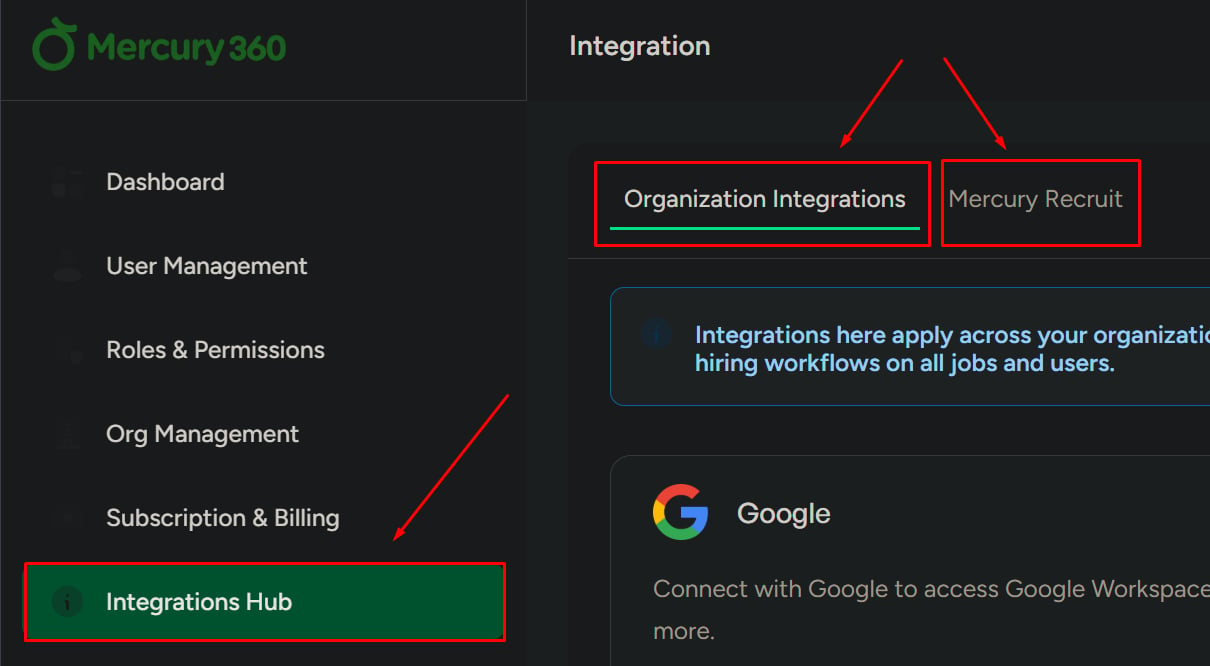
Open the Integrations Hub from the left navigation
Click Integrations Hub from the left navigation panel.
2
Review the available tabs
You will see two tabs for different integration categories.
Integration types
Organization Integrations
These integrations apply to the entire organization.Used for:
- Shared tools across teams
- Organization-wide communication or automation
Mercury Recruit Integrations
These integrations are used only within the Recruit product.Used for:
- Hiring workflows
- Candidate communication
- Recruitment automation
Connect an integration
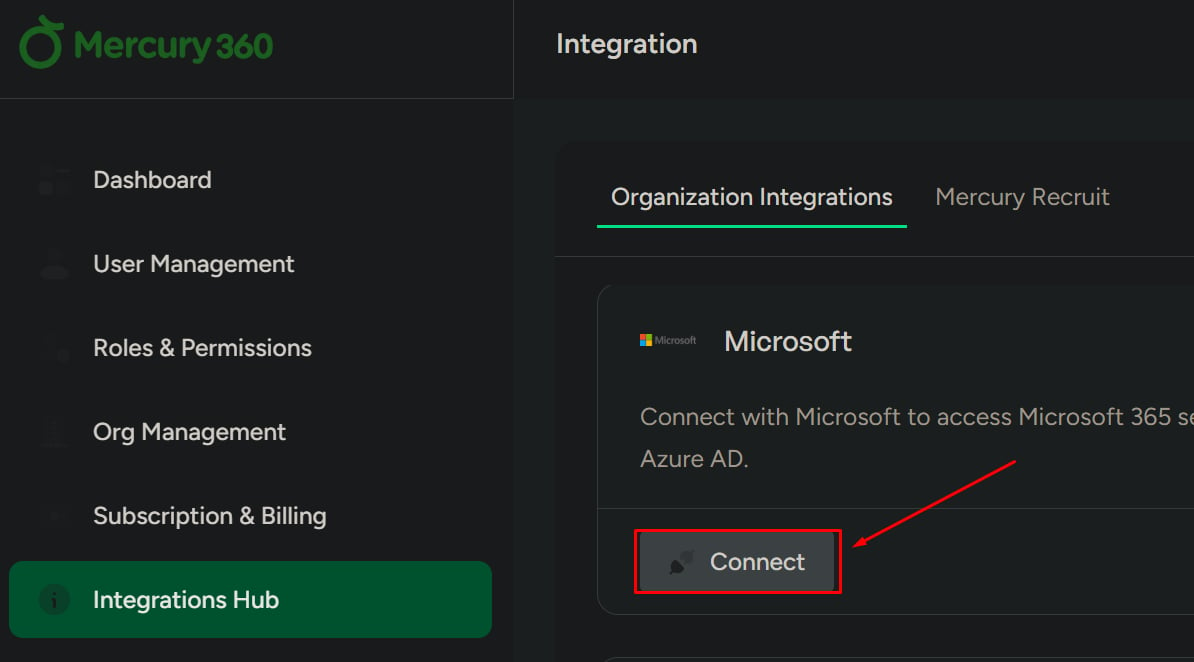
Each integration includes a Connect button.1
Click Connect
Find the integration you want and click Connect.
2
Review the connection popup
A popup will appear showing:
- What will happen after connection
- What access you are granting
- What control you will have over the integration
3
Accept the consent requirement
Check the consent checkbox to continue. You cannot proceed without accepting this.
4
Agree and continue
Click Agree & Continue. You will be redirected to the relevant provider login.
5
Complete the connection
Select your account and confirm access permissions. After confirmation, the integration connects successfully.
Disconnect an integration
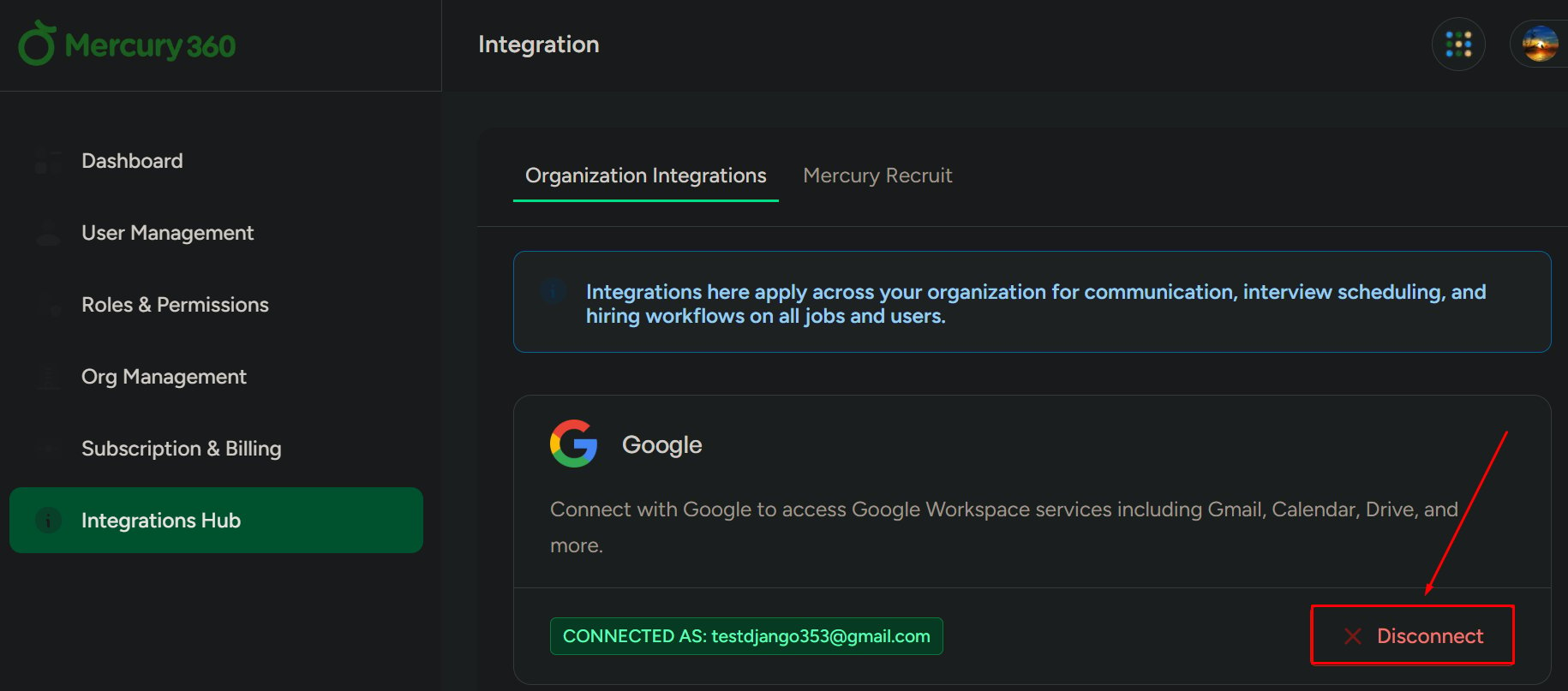
Use this to remove an active integration.1
Click Disconnect
Click Disconnect on the integration you want to remove.
2
Confirm the action
A confirmation popup appears with options:
- Yes, Disconnect
- Cancel
What to be careful about
- Disconnecting integrations may stop automated workflows
- Removing organization integrations can affect multiple users
- Always review permissions before connecting external tools
- Make sure you understand email consent requirements before enabling email-related integrations