
.png?fit=max&auto=format&n=wMd7bxoi6I_Hm3IN&q=85&s=fe686234f9638b0fbfbc991ca32f7bc3)
Subscription changes can impact module access and workflows. Review details carefully before canceling or changing plans.
When to use this
Use this when you need to:- Review an active plan for a module
- Monitor usage limits (seats, job postings, add-ons)
- Check subscription history events
- Cancel a subscription
Open subscription details
1
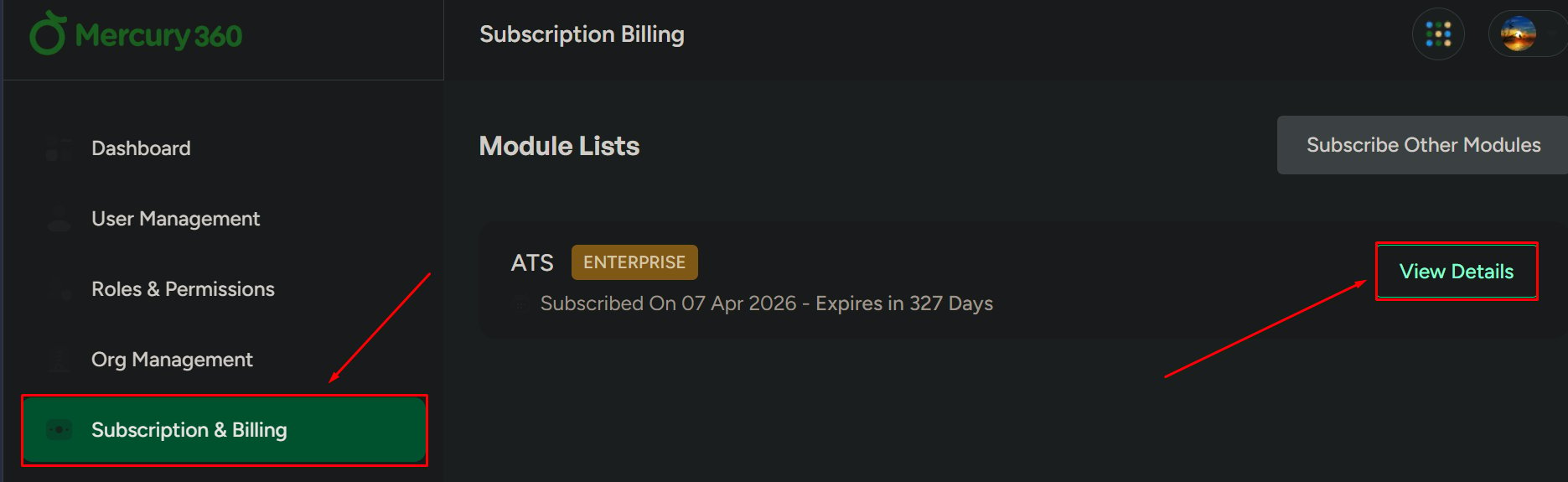
Open Subscription & Billing
Go to Subscription & Billing.
2
Select a module
Choose the module you want to review (for example, ATS).
3
View details
Click View Details to open the module’s subscription page.
What you can review
Subscription overview
Plan name, billing cycle, activation date, and add-ons.
Usage information
Seats used, job posting usage, and remaining limits.
Subscription history
Billing and subscription events like payment received and subscription created.
Plans & pricing
Compare plans and monthly vs annual pricing.
Subscription history
1
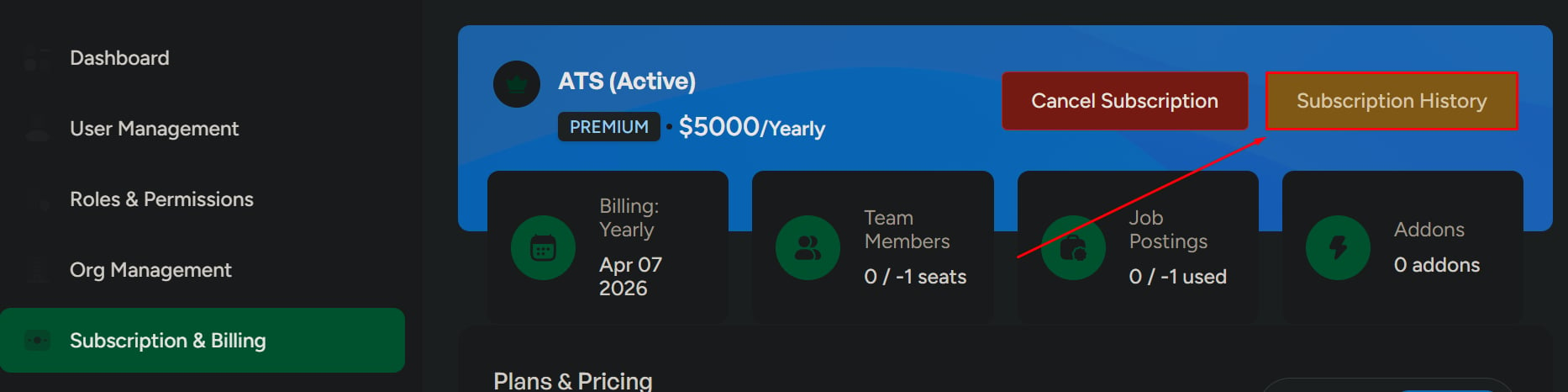
Open Subscription History
Click Subscription History to view billing and subscription events.
Cancel subscription
1
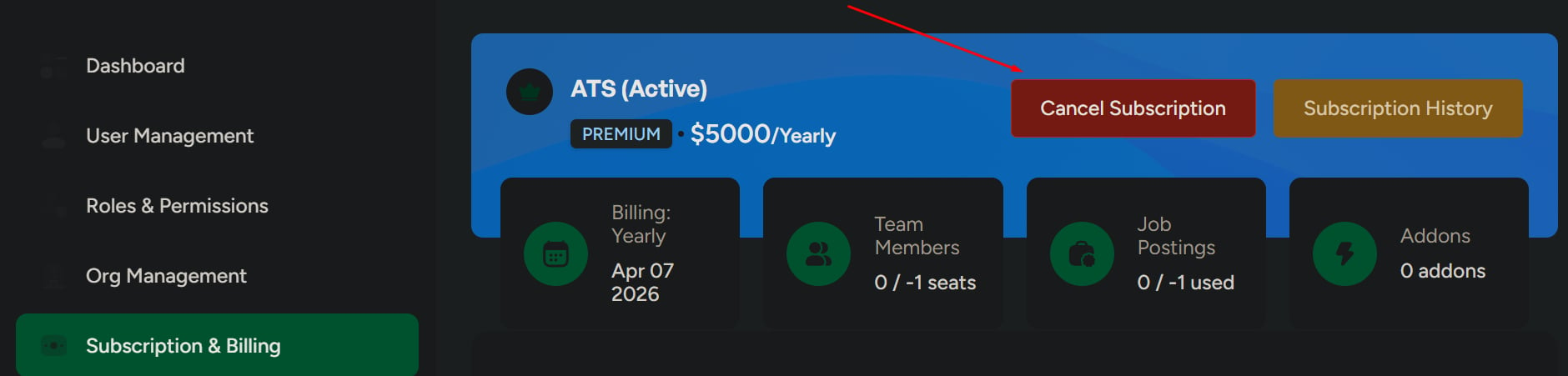
Cancel and confirm
Click Cancel Subscription, then confirm the action.
Monthly vs annual pricing
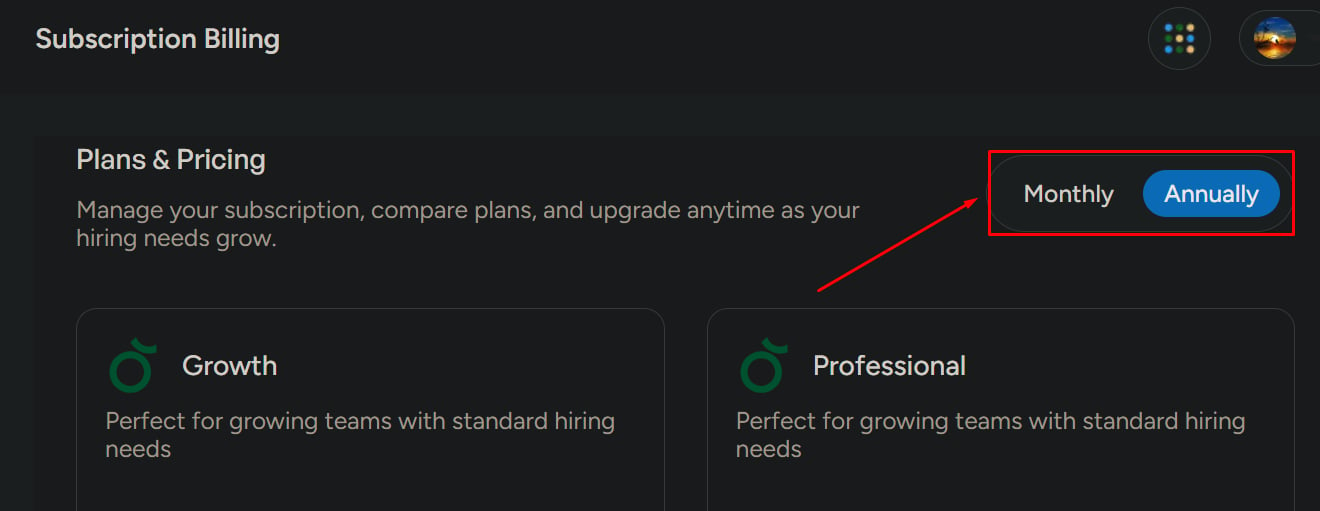
Use the pricing toggle to compare:- Monthly pricing
- Annual pricing
Related pages
Subscription and Billing
Review plan details, usage, and billing actions for a specific module subscription.
Invoices & billing history
View and download invoices and review payment history.