
.png?fit=max&auto=format&n=wMd7bxoi6I_Hm3IN&q=85&s=fe686234f9638b0fbfbc991ca32f7bc3)
What you can do
Move candidates
Advance candidates through stages, snooze them, or disqualify them for this job.
Evaluate & document
Add evaluations and notes to keep decision-making consistent across the team.
Move or copy to another job
Transfer candidates between roles without losing context.
Communicate
Email candidates, schedule events, or send tasks from the pipeline.
Open a candidate
1
Open a job
Go to Jobs and open the role you’re working on.
2
Select a candidate
Click any candidate in any stage to open their details.
Update candidate progress
Use these actions to manage the candidate inside the current job pipeline.Move a candidate
Move candidates between stages in the pipeline. This is the most common action—use it whenever a candidate clears a step.
Snooze a candidate
Temporarily pause a candidate without losing context. Useful when you’re waiting on documents or scheduling.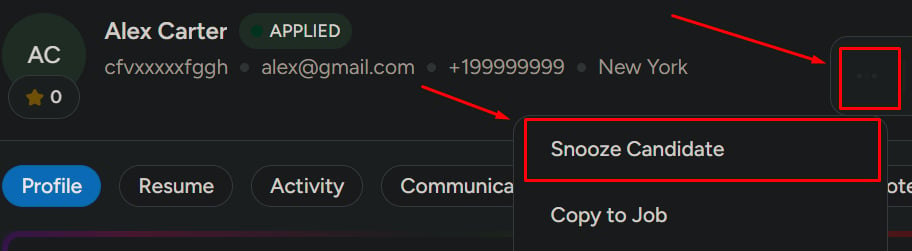
Disqualify a candidate
Mark the candidate as not suitable for this job only. They remain available for other opportunities.Disqualifying is scoped to the current job. To restrict a candidate across all jobs, use Blacklist.

Evaluate and document
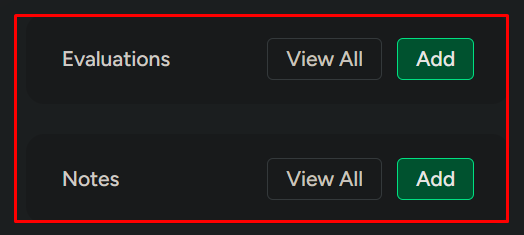
Add or view evaluations
Add or view evaluations
Add feedback or review evaluations submitted by your team. Aggregate scores roll up automatically.
Add notes
Add notes
Add internal notes only your team can see.
Manage candidate placement across jobs
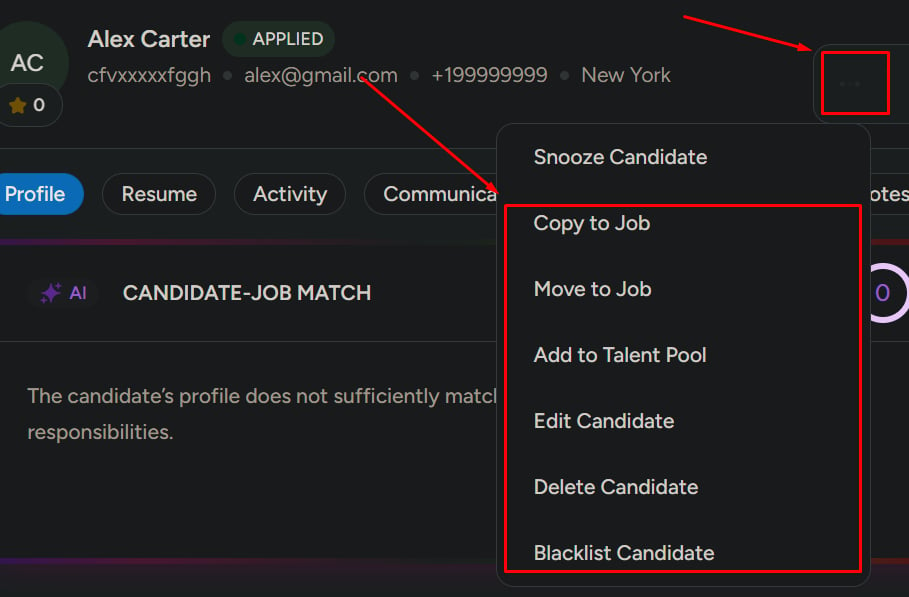
Mercury gives you two ways to move a candidate between jobs—choose carefully.- Move to job
- Copy to job
Removes the candidate from the current job and places them in the new job.Use this when the candidate is no longer right for the current role but fits another.
Add to talent pool
Save the candidate for future opportunities, even if they don’t fit any current role.Edit or remove a candidate
Edit candidate
Update profile details—name, contact, experience, and skills.
Delete candidate
Remove the candidate from the entire system. This cannot be undone.
Blacklist a candidate
Blacklist restricts the candidate from future hiring across all jobs in your workspace.Learn how blacklisting works
See the differences between disqualified, blacklisted, and inactive—and when to use each.
Communicate with the candidate
You can use three quick communication actions:- Send email — direct, tracked correspondence
- Schedule event — interview, screening, or meeting
- Send task — assessment, document request, or homework

Related
View candidate details
Full tour of the candidate profile and all available actions.
Manage candidates
Browse all candidates across jobs, with powerful search and filters