
.png?fit=max&auto=format&n=wMd7bxoi6I_Hm3IN&q=85&s=fe686234f9638b0fbfbc991ca32f7bc3)
Talent Pools are for storage and reuse. They are not an active hiring workflow.
Open Talent Pool
1
In the left menu, click Talent Pool.
2
You’ll see a list of all created talent pools.
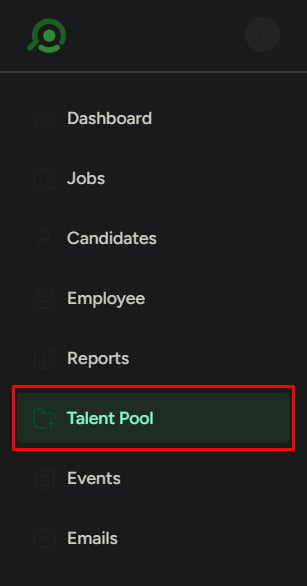
Talent pool list
Each talent pool shows:- Name
- Department
- Created date
- Number of candidates
- Follow button
- Options (Duplicate, Archive, Edit, Delete)
Search and filter talent pools
Use this when your list becomes large.- Search by name using the search bar
- Filter by:
- Department
- Date created
- Active / Archived / Followed

Create a talent pool
Use this when you want to organize candidates for future use.1
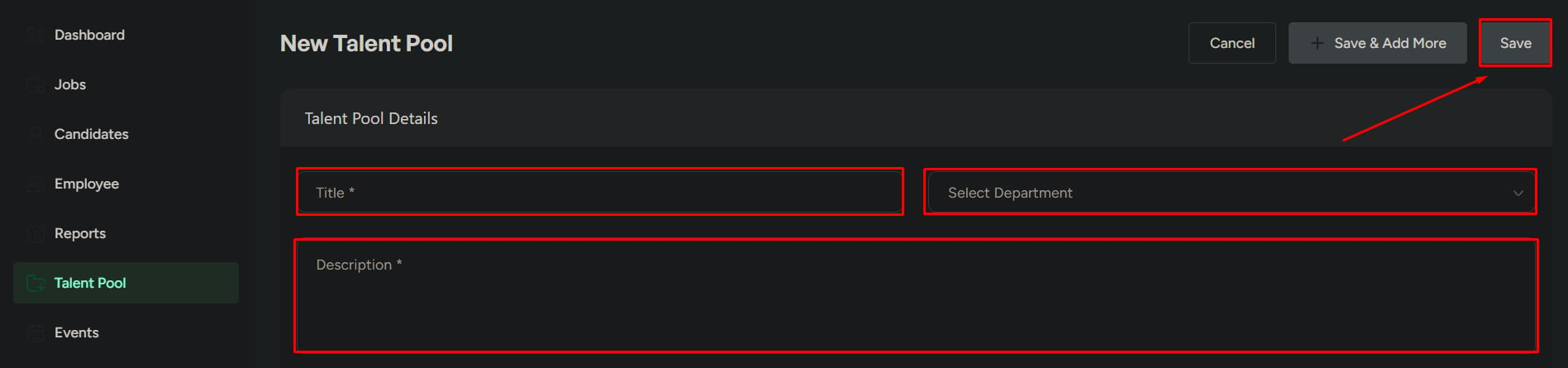
Click Create New Talent Pool.
2
Enter:
- Title (required)
- Department
- Description
3
Click Save.
Create pools with a clear purpose (role, skill set, or hiring need). This makes them easier to reuse later.

Open a talent pool
Click any talent pool to view the candidates saved inside it.Candidate list inside a pool
Each candidate shows:- Name
- Department
- Reason for adding
- Evaluation score
- Source stage (the stage the candidate was added from)
- Date added
Search and filter candidates
Use this when managing large pools.- Search by candidate name
- Filter by:
- Department
- Score range (min–max)

Add candidates to a talent pool
Use this when you want to reuse candidates for future hiring.Options
- Add manually
- Bulk resume upload
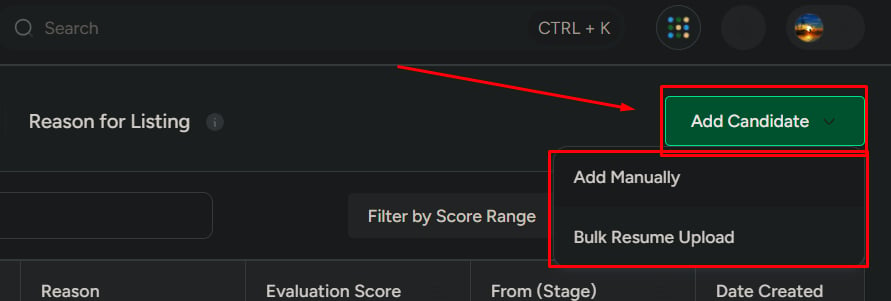
When to use which
- Manual: when adding selected or known candidates
- Bulk: when adding many candidates at once
What Talent Pool is not for
Do not use Talent Pools for:- Active hiring pipelines
- Candidate evaluation or stage movement
- Immediate hiring decisions
Talent Pool is a storage and reuse system, not a hiring workflow.