
.png?fit=max&auto=format&n=wMd7bxoi6I_Hm3IN&q=85&s=fe686234f9638b0fbfbc991ca32f7bc3)
What this helps you do
- Raise issues with the system
- Monitor progress of reported issues
- Receive updates from support
When to use this
Use this when you need to:- Report a bug or system issue
- Request a feature
- Track the status of a reported issue
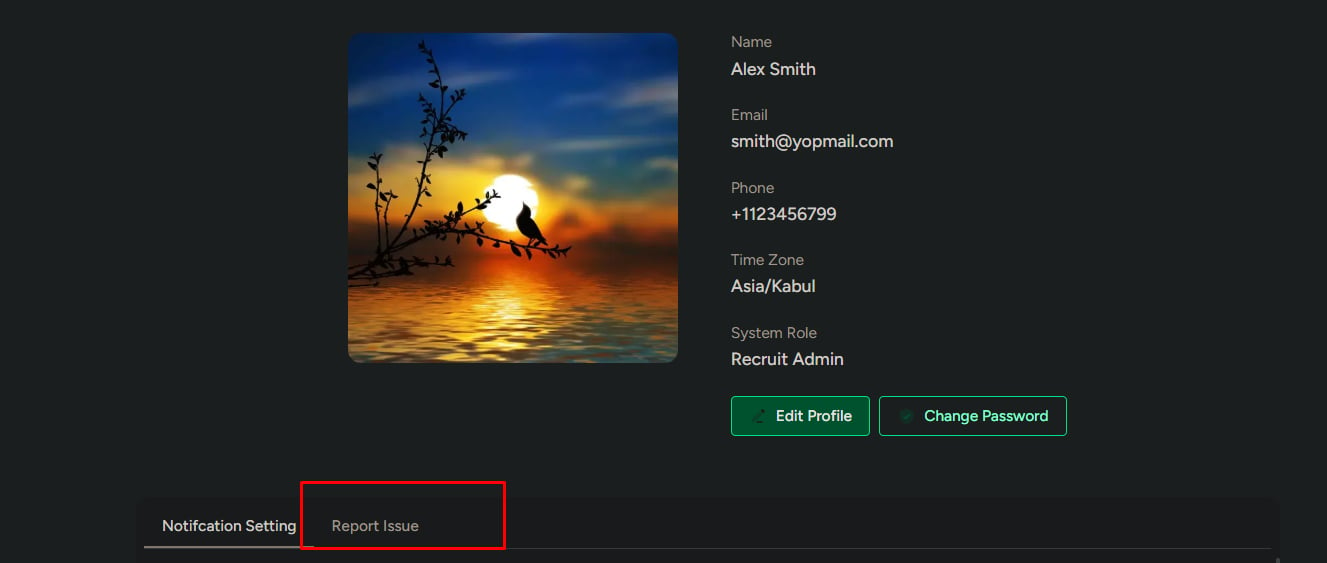
Open Report Issue
1
Go to your Profile.
2
Select Report Issue.
View reported issues
All submitted issues are listed here. Each issue shows:- Issue category
- Status
- Date created
Status types
Issues can appear in one of the following states:- Open
- In progress
- Resolved
- Unresolved
- Dismissed
Use the status to understand whether support is actively working on the issue or has closed it with a resolution or response.
Filter issues
Use filters to quickly find specific reports.1
Click Filter.
2
Select one or more filters:
- Issue category
- Status
- Date range (From / To)
3
Click Apply Filter.

Create a new issue
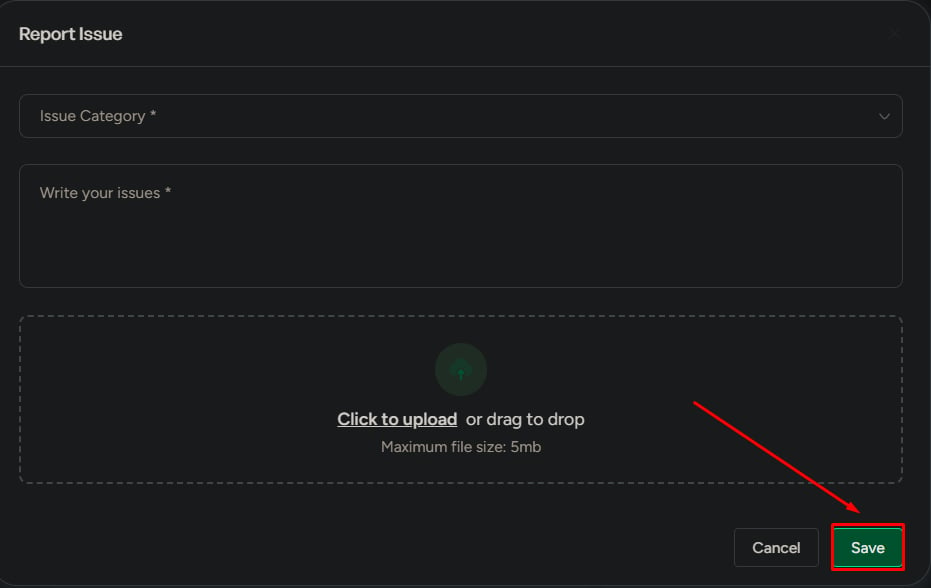
1
Click Report Issue.
2
Fill in:
- Issue category (required)
- Description (required, minimum 10 characters)
- File upload (optional, max 5 MB)
3
Click Save.

What happens after submission
After you submit:- The issue is created with Open status
- Support reviews the issue
- The status is updated as progress is made
- Once resolved, the issue is closed with a response
What to be careful about
- Vague descriptions slow down resolution
- Choosing the wrong category can delay handling
- Missing details can lead to incomplete support responses