
.png?fit=max&auto=format&n=wMd7bxoi6I_Hm3IN&q=85&s=fe686234f9638b0fbfbc991ca32f7bc3)
What you can control
In Notification Settings, you can configure:- Which events trigger notifications
- How you receive them:
- In-app
- Push
When to use this
Use this when you need to:- Reduce unnecessary notifications
- Enable important alerts
- Customize notification channels
- Adjust how you receive updates
Open Notification Settings
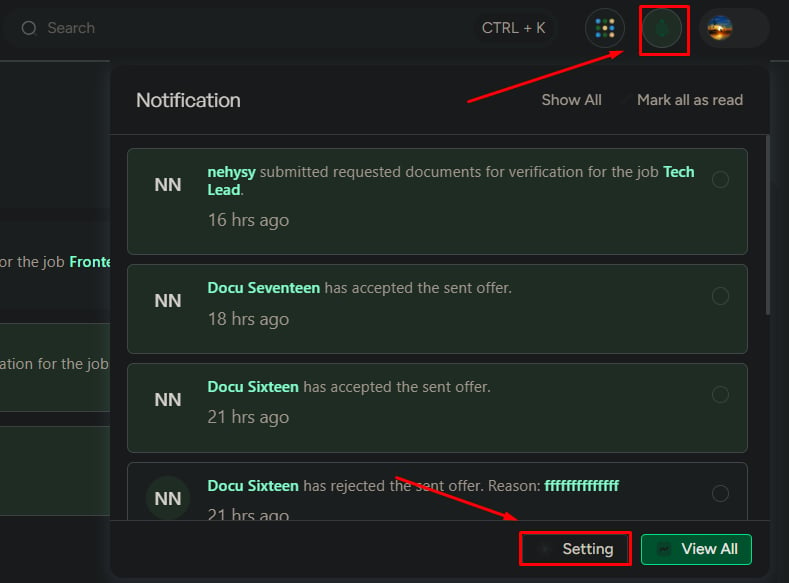
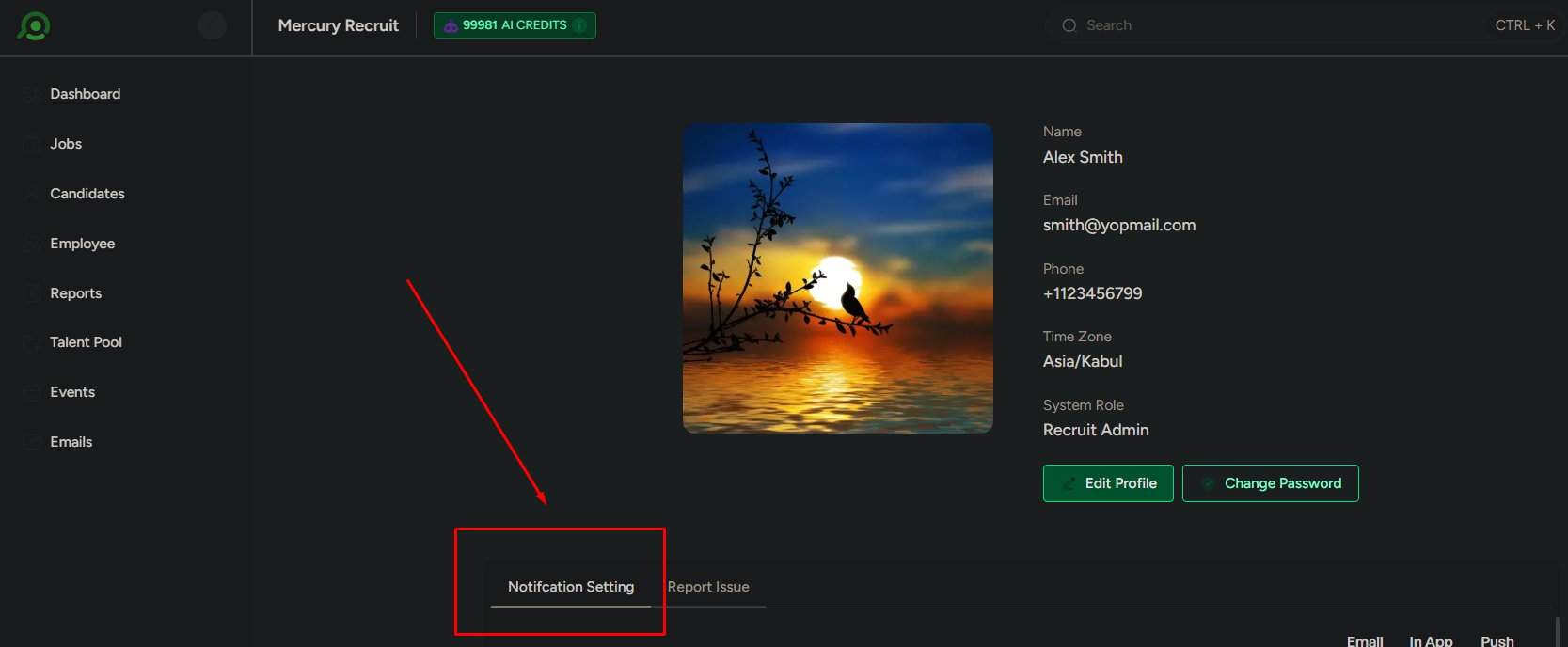
You can access Notification Settings in two ways:1
From the notification panel: click Settings.
2
From your profile: scroll to Notification Settings.
Notification channels
You can control how notifications are delivered:- In-app
- Push
Default behavior
In-app notifications are enabled for all events by default.
How settings are structured
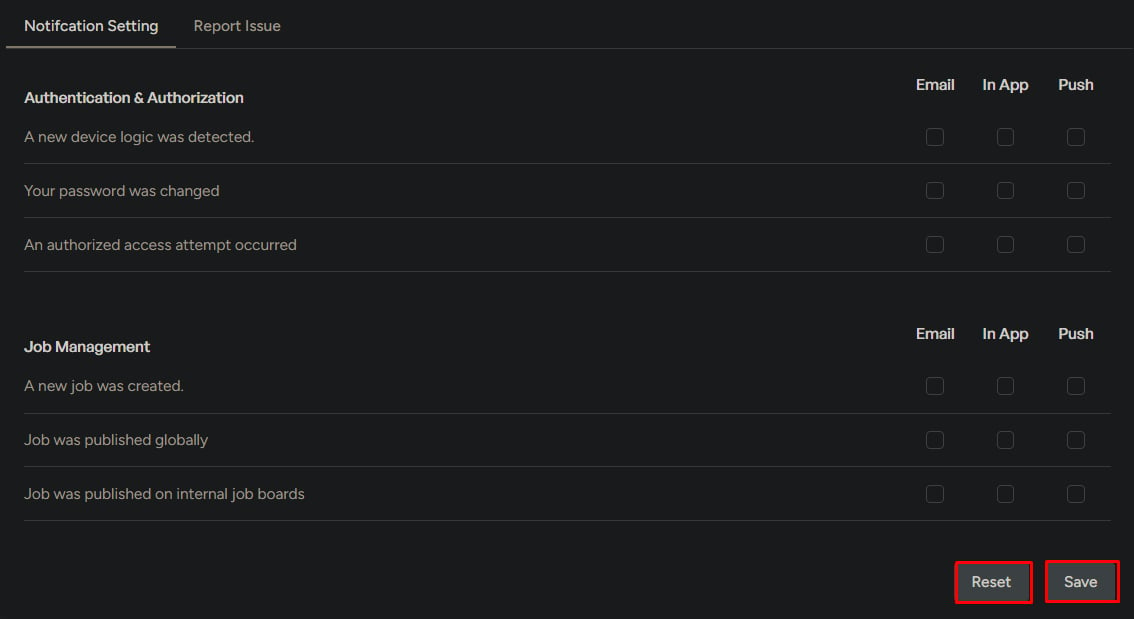
Notifications are grouped by category. Each category includes multiple events. For each event, you can enable or disable delivery channels using checkboxes (In-app, Email, Push).Notification categories
Below are the common notification categories and example events included in each.Authentication and security
- New login detected
- Password changed
- Unauthorized access attempt
Job management
- Job creation and updates
- Job publishing
- Team member changes
Followed jobs
- New candidate applications
- Candidate updates in followed jobs
Candidate management
- Candidate creation and updates
- Stage movement
- Talent pool actions
- Document submissions
Communication and feedback
- Comments on candidates
- Evaluation requests and submissions
Assessments
- Assessment sent
- Submission or expiration
- Candidate actions
Event management
- Event creation and updates
- Accept or decline actions
- Reschedule requests
Offers
- Offer creation
- Candidate response
- Offer status changes
Employment management
- Onboarding and offboarding updates
- Process status changes
Talent pool
- Candidate added to a pool
- Candidate removed from a pool
Save and reset settings
1
Click Save to apply changes.
2
Click Reset to restore default settings.
What to be careful about
- Disabling too many notifications can cause missed updates
- Enabling everything can lead to notification overload
- Not using Email or Push for critical events can delay response
Recommended focus
Prioritize notifications for:- High-impact events
- Actions that require your attention
- Security-related alerts
- Scheduling changes (events, reschedules, cancellations)