
.png?fit=max&auto=format&n=wMd7bxoi6I_Hm3IN&q=85&s=fe686234f9638b0fbfbc991ca32f7bc3)
Open the Email section
1
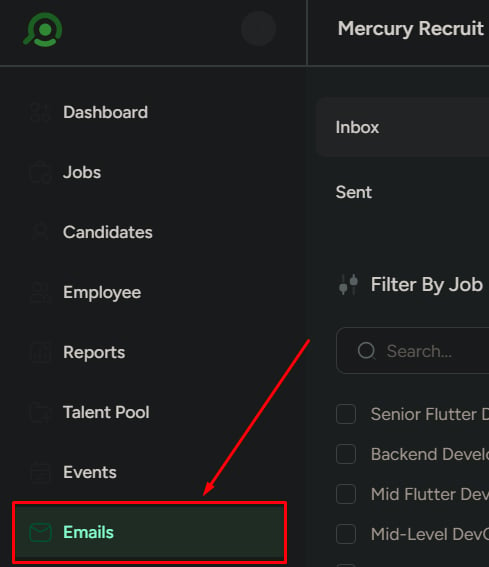
From the left sidebar, click Emails.
If email is not connected
If you haven’t connected an email account yet, you’ll see a setup screen that includes:- A message indicating email isn’t integrated
- An Integrate Email button
Until you connect an email account, no inbox or messages will be available.
What happens after integration
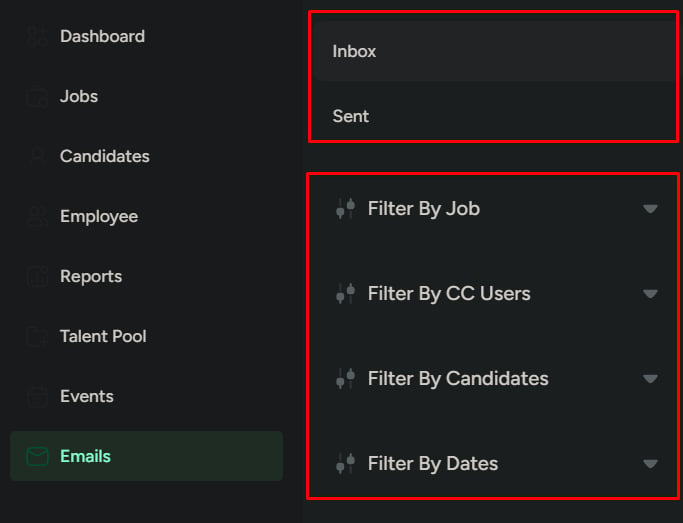
Once your email is connected:- Inbox and Send emails become available
- Emails can be filtered by:
- Job
- Candidate
- Date
- You can send emails directly from the candidate workflow
- Email history stays organized in one system for easier tracking
What this page is not for
Do not use the Email section for:- Personal or unrelated emails
- Internal team chat or discussions
- Storing files manually
- General non-hiring communication