
.png?fit=max&auto=format&n=wMd7bxoi6I_Hm3IN&q=85&s=fe686234f9638b0fbfbc991ca32f7bc3)
When to use this
Use this when you need to:- Check incoming candidate emails
- Review sent messages
- Find emails for a specific job or candidate
- Track communication history
Open Inbox
1
From the sidebar, go to Emails.
2
The Inbox opens by default.
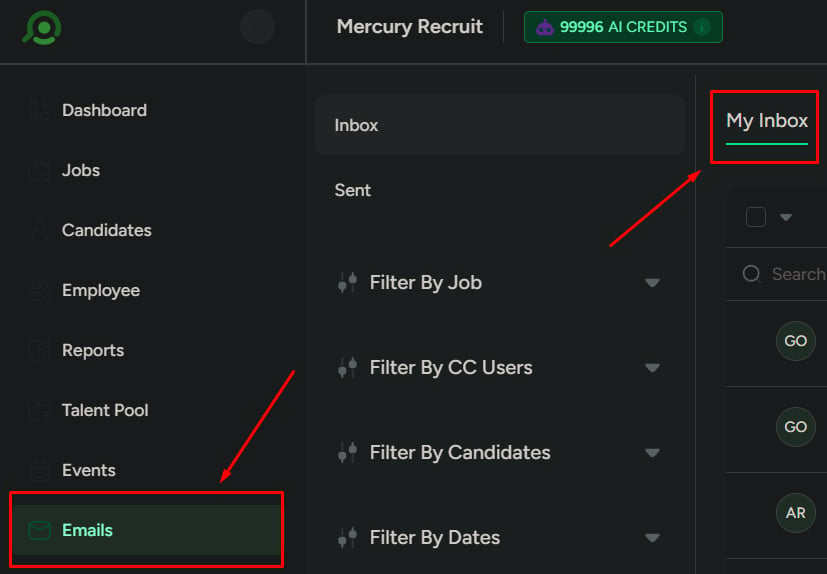
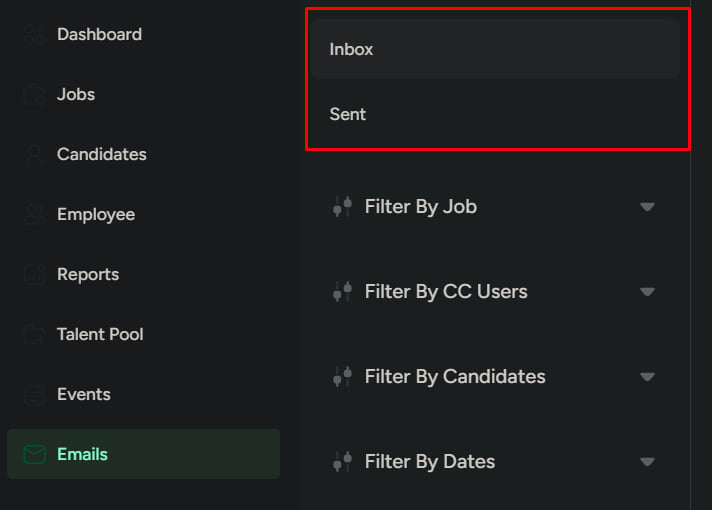
Switch views
Use these views to separate incoming and outgoing messages:- Inbox: received emails
- Sent: emails you’ve sent
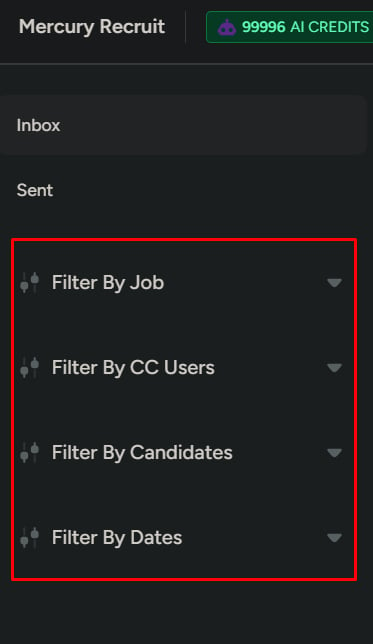
Find emails
Search
Use search when you already know what you’re looking for:- Candidate name
- Job title
- Email subject

Filters
Use filters when the list is large or unclear. You can filter by:- Job
- Candidate
- CC users
- Date range
View email details
Click any email to open the full conversation. Use this to:- Read full message threads
- Understand past communication
- Verify what was sent or received
Key actions
Switch account
Use this when you need to work from a different email account.You’ll need to connect the new account before it becomes available in Emails.

Sync emails
Use this when emails are missing or outdated. Sync is helpful if:- Recent emails aren’t visible
- Older emails need to be fetched
If you don’t sync, the inbox may look incomplete—especially after a new integration or provider-side changes.

Compose email
Use Compose to send an email to a candidate. This opens the email creation flow.
What this is not for
Do not use the hiring inbox for:- Internal team chat
- Unrelated email communication
- Storing files