
.png?fit=max&auto=format&n=wMd7bxoi6I_Hm3IN&q=85&s=fe686234f9638b0fbfbc991ca32f7bc3)
When to use this page
Use the Jobs page when you need to:- Find a specific job
- Review job status and progress
- Manage multiple jobs at once
- Focus on jobs by status, department, location, or work type
- Switch between list and kanban views
Open Jobs
1
Open Jobs
Click Jobs in the left navigation menu.
2
Review the jobs list
The full list of jobs in your workspace opens by default.

What you can do here
Search jobs
Find a role quickly by typing the job name.
Filter jobs
Narrow the list by department, location, work type, keywords, or status.
Switch views
Use List view for details or Kanban view for a visual overview.
Track important jobs
Follow or pin jobs so important roles stay easy to find.
Search for a job
Use search when you know the job name.1
Search by job name
Type the job name in the search bar. The list updates automatically as you type.

Filter jobs
Use filters to narrow a long list to the exact slice you need.1
Open the filter panel
Click Filter above the list.
2
Pick criteria that match your goal
Choose one or more filters to focus the list.

Filter by status
Use the status dropdown to focus on jobs at a specific stage.Active Jobs
Active Jobs
Jobs currently accepting and reviewing candidates.
Draft Jobs
Draft Jobs
Jobs you’ve started but haven’t published yet.
Closed Jobs
Closed Jobs
Jobs that no longer accept new candidates.
Archived Jobs
Archived Jobs
Completed or past jobs kept for reference.
Requested Jobs
Requested Jobs
Jobs waiting for approval before going live.

View followed jobs
Toggle Followed Jobs to show only jobs you’ve chosen to track.
Switch view
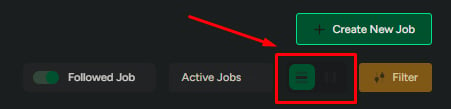
Mercury Recruit gives you two ways to view jobs. Choose the one that matches the task.- List view
- Kanban view
Use List view for detailed comparison and quick scanning of job metadata.Best when you need:
- Exact numbers
- Dates
- Status details
- Owner or creator information
View Job Details (From List)
Each row surfaces key facts without requiring you to open the job.
Click View Job Details on any row to open the full job.
Quick actions
Use quick actions for fast updates without opening a job.Follow
Track updates to this job in your followed list.
Pin
Keep important jobs near the top of the Jobs list.
Create a job
Open the Create New Job flow.
Related
Create a job
Build a new job from scratch or with AI.
Job actions
Edit, extend, share, duplicate, preview, or close jobs from the list.