
.png?fit=max&auto=format&n=wMd7bxoi6I_Hm3IN&q=85&s=fe686234f9638b0fbfbc991ca32f7bc3)
When to use this
Use this when:- You need to use a different email account
- You connected the wrong account
- You want to stop email sync
- Hiring ownership has changed
Switch email account
Use this when you want to replace the currently connected email account with a different one.1
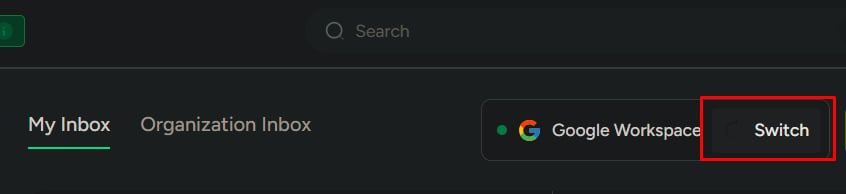
Go to Emails.
2
Click Switch.
3
Choose a provider: Google or Microsoft.
4
Sign in to the new account and allow access when prompted.
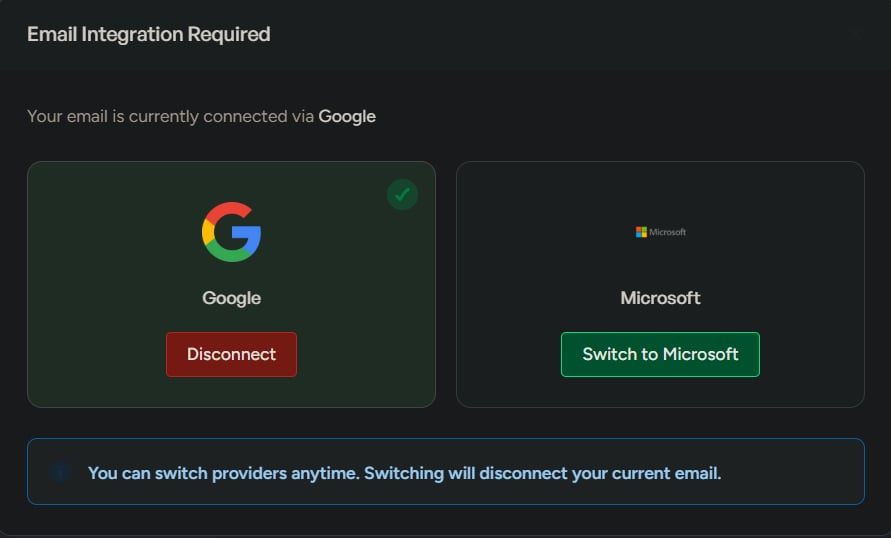
What happens next
- The new email account is connected
- The previous account is replaced
- All future outgoing emails use the new account
Disconnect email
Use this when you want to remove email integration and stop syncing.1
Go to Settings.
2
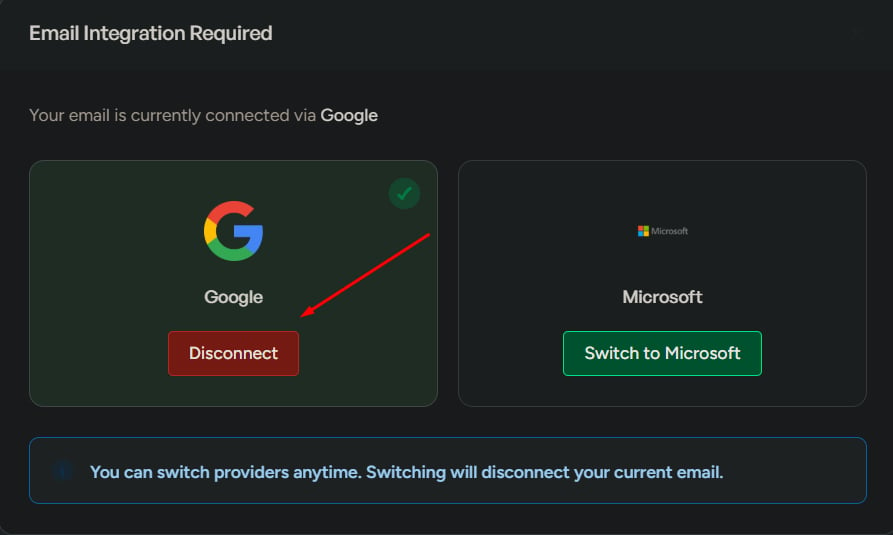
Find the connected email account.
3
Click Disconnect.
4
Confirm the action.
What happens next
- Email sync stops immediately
- Inbox and sending features stop working
- Previously synced emails remain visible, but won’t update
Disconnecting stops all email activity inside the system until an account is connected again.
What to watch for
- Disconnecting stops all email activity in the system
- Switching to the wrong account can break candidate communication
- Using a personal email reduces team visibility and shared context
What this is not for
Do not use Switch/Disconnect for:- Temporary email issues
- Missing emails (use Sync instead)
- Using multiple email accounts at the same time
This is only for changing or removing the connected account.