
.png?fit=max&auto=format&n=wMd7bxoi6I_Hm3IN&q=85&s=fe686234f9638b0fbfbc991ca32f7bc3)
When to use this
Use this page when you need to:- Connect external services like email or calendar tools
- Enable syncing with third-party platforms
- Disconnect an existing integration
Available integrations
Currently supported providers:- Microsoft
Each integration works independently. You can connect or disconnect one provider without affecting the other (depending on which features you use).
How integrations work
Each provider displays its current status:If not connected
- You’ll see a Connect button
- Click Connect to begin the integration flow
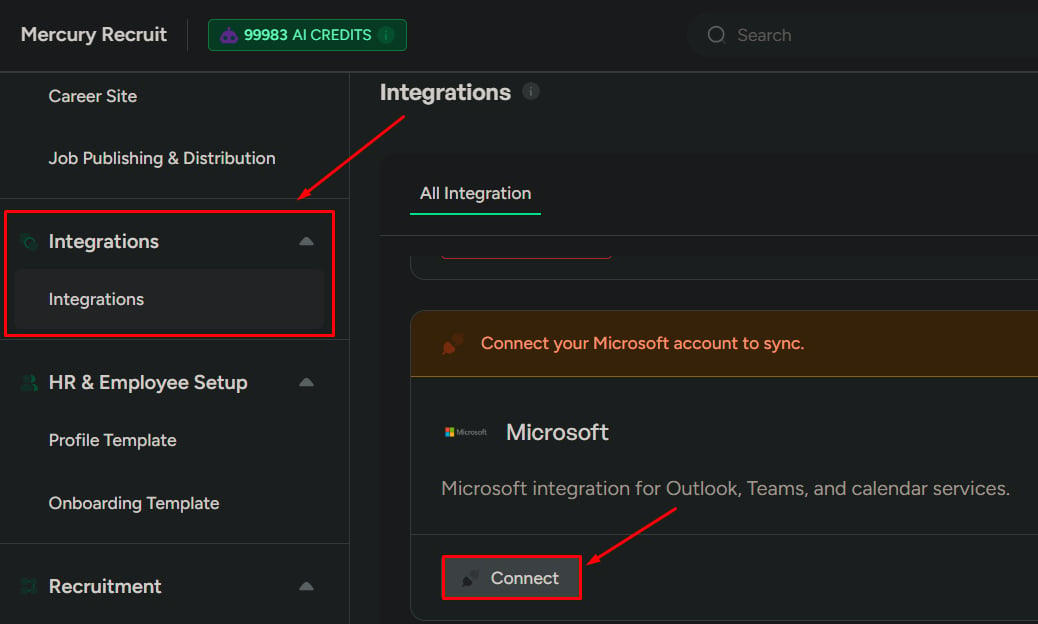
If already connected
- You’ll see a Disconnect button
- Click Disconnect to remove the connection
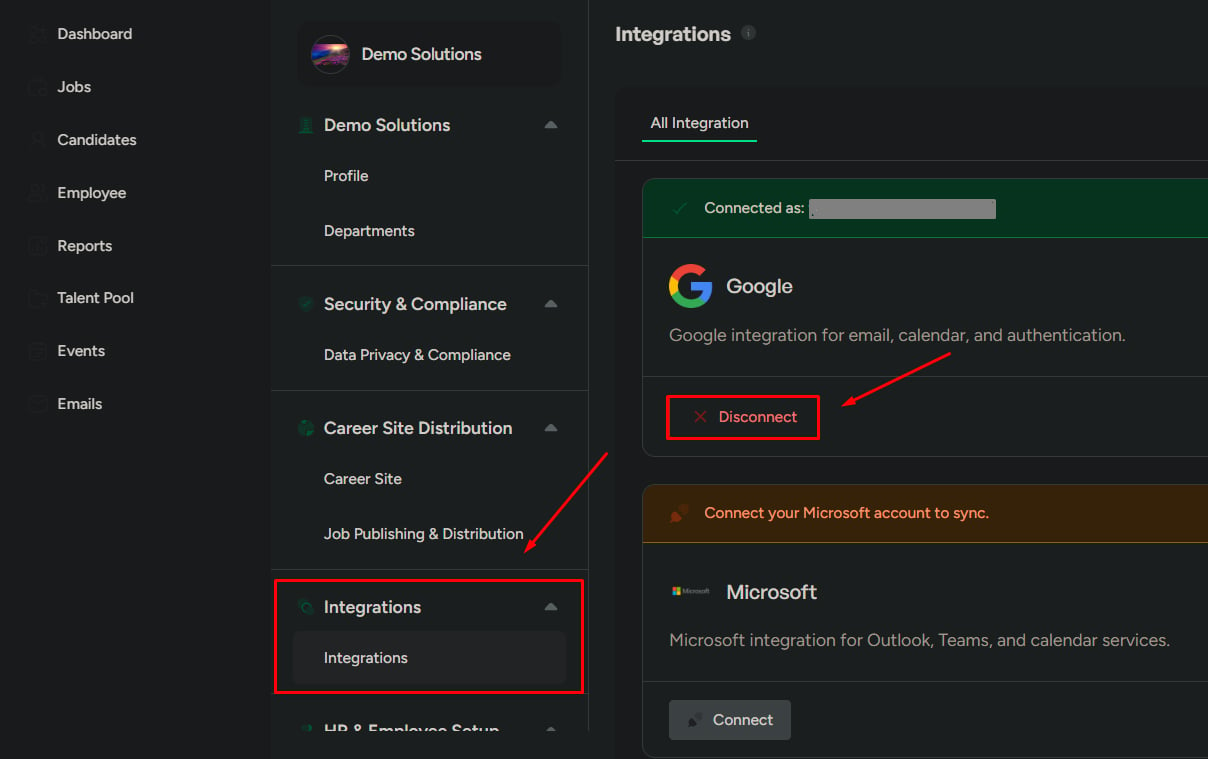
What happens when you connect
After connecting a provider:- Sync starts with the selected provider
- Data exchange is enabled based on the permissions you grant
- Related features (such as Email and/or Calendar) become active
What happens when you disconnect
After disconnecting a provider:- Sync stops immediately
- Connected features stop working
- Existing synced data remains visible, but is no longer updated
Disconnecting an integration may affect workflows like emailing candidates or scheduling interviews.
What to be careful about
- Connecting the wrong account can sync incorrect data into the system
- Disconnecting may break workflows that depend on email or calendar syncing
- Always verify you’re connecting the correct organization account before proceeding