
.png?fit=max&auto=format&n=wMd7bxoi6I_Hm3IN&q=85&s=fe686234f9638b0fbfbc991ca32f7bc3)
Always review details before making changes—updates affect HR records immediately.
Open employee details
1
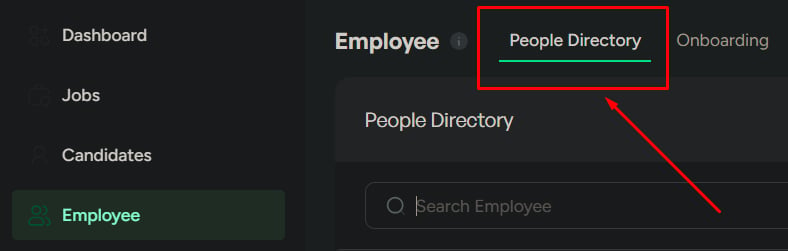
Open People Directory
Go to Employees → People Directory.
2
Select an employee
Click any employee to open their details page.
When to use this page
Use this page when you need to:- Review employee details
- Update employee information
- Access employee documents
- Disable an employee record
Top summary (quick view)
The top of the page shows key identity fields:- Name
- Work email
- Phone number
- Department
- Edit details
- View offer & documents
- Disable employee
Where to find information
Use this table to locate the right section quickly:Key actions
Edit details
Update confirmed employee information. Changes apply immediately.
View offer & documents
Access offer letters and uploaded documents for verification and record checks.
Disable employee
Mark an employee inactive while retaining records for audit and history.
Edit details
Use when employee information needs updating.1
Click Edit
Open the employee record in edit mode.
2
Update fields
Change only information that’s confirmed and accurate.
3
Save
Save to apply updates immediately to HR records and reports.
View offer & documents
Use when you need to access employee-related documents:- Offer letters
- Uploaded documents
Disable employee
Use when the employee should no longer be active.- What happens
- When to use it
- Employee is marked as inactive
- Removed from the active employee view
- Employee data is retained for records

Related
Manage employees
Search, filter, and act on employees from the directory.
Add an employee
Create a new employee record.